



APKLab
The ultimate Android RE experience right inside your VS Code.
Cost / License
- Free
- Open Source (AGPL-3.0)
Platforms
- Mac
- Windows
- Linux
- Visual Studio Code

APKLab
Features
 Android Development
- VSCode
Tags
- development
APKLab News & Activities
Recent activities
APKLab information
Licensing
Open Source (AGPL-3.0) and Free product.Written in
Alternatives
0 alternatives listedSupported Languages
- English

AlternativeTo Category
DevelopmentGitHub repository
- 3,631 Stars
- 306 Forks
- 22 Open Issues
- Updated
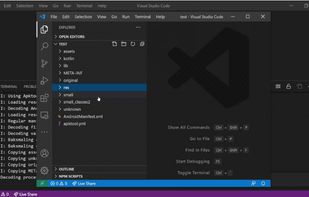
What is APKLab?
The ultimate Android RE experience right inside your VS Code.
APKLab seamlessly integrates the best OpenSource tools such as: Quark-Engine, Apktool, Jadx, uber-apk-signer, apk-mitm and more to the excellent VS Code so you can focus on app analysis and get it done without leaving the IDE.
Decode, Disassemble & Decompile Decode APK resources from resources.arsc, Disassemble classes*.dex to Smali and Decompile to Java [uses Apktool & Jadx]
Malware Analysis Report Deep integration with Quark-Engine enables APKLab to provide a detailed Malware Analysis report with ability to interact with problematic source code
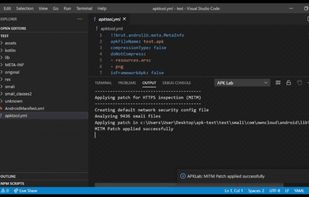
Bypass Certificate Pinning One-click patch for popular Certificate Pinning techniques to allow HTTPS traffic inspection with MITM proxies such as mitmproxy [uses apk-mitm]
Browse Smali like a PRO With Smalise integration, you get features like Syntax-Highlighting, Goto definition/references, Rename symbol, etc. out of the box
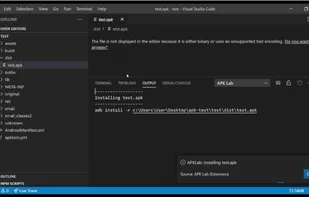
ReBuild, Sign and Install Rebuild APK from modified Smali sources & resources, seamlessly re-sign it and install over ADB directly from VS Code [uses Apktool & uber-apk-signer]
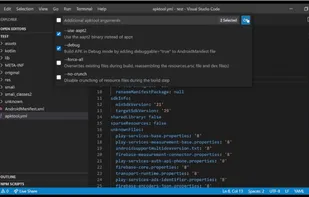
And much more... Make APK Debuggable, Sign with a custom certificate, Download & configure .jar dependencies automatically, Initialize git in project dir to easily track changes, Manage res frameworks.