


cliphist
2 likes
Cliphist is an efficient Linux-based Wayland clipboard manager supporting both text and images, conserving content byte-for-byte. It archives clipboard changes to a history file, integrates with tools like dmenu or rofi for recall, and remains lightweight, open-source, and ad-free.
 EU
EU
Features
Properties
- Lightweight
Features
- Ad-free
- Full-Text Search
- No Tracking
- Portable
- No registration required
- Support for scripting
- Dark Mode
- Works Offline
- Wayland Support
cliphist News & Activities
Highlights All activities
Recent activities
 POX added cliphist as alternative to Droppy for macOS
- sentriz updated cliphist
 POX added cliphist as alternative to Pesto Clipboard
 gustavosett added cliphist as alternative to Windows Clipboard For Linux
- K0RR added cliphist as alternative to kaprica and nwg-clipman
 POX added cliphist as alternative to Pop Clipboard
 POX added cliphist as alternative to ClipPocket
 Dalieba added cliphist as alternative to Edit Clipboard Contents


cliphist information
Developed by
 Senan Kelly
 Licensing
Open Source (GPL-3.0) and Free product.Written in
Alternatives
81 alternatives listedSupported Languages
- English

AlternativeTo Categories
Office & Productivity, OS & UtilitiesGitHub repository
- 1,293 Stars
- 35 Forks
- 8 Open Issues
- Updated


What is cliphist?
Clipboard history “manager” for Wayland.
- write clipboard changes to a history file
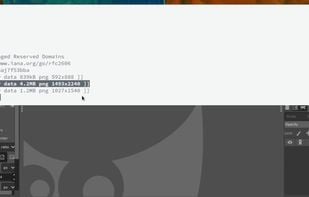
- recall history with dmenu / rofi / wofi (or whatever other picker you like)
- both text and images are supported
- clipboard is preserved byte-for-byte
- leading / trailing whitespace / no whitespace or newlines are preserved
- won’t break fancy editor selections like vim wordwise, linewise, block mode
- no concept of a picker, only pipes
It requires: go, wl-clipboard, xdg-utils (for image mime inferance).
Comments and Reviews
Cliphist is a simple tool with no GUI. Therefore, it is highly customizable and can be used in a variety of environments and applications. To use Cliphist in the GUI, settings and scripts are required according to each environment. In addition to Cliphist, you will need dmenu, rofi, or wofi. The history of the clip board will not be displayed until you read the README and set these settings appropriately. Images cannot be handled with dmenu. wofi or rofi can handle images.