



Commander GPT
1 like
The fastest and simplest way to use GPT in your Mac.

Cost / License
- Pay once
- Proprietary
Platforms
- Mac

Features
- AI-Powered
Tags
- Artificial intelligence
- GPT
- DALL-E
- translate-text
- GPT-3
- ChatGPT
Commander GPT News & Activities
Highlights All activities
Recent activities
 POX added Commander GPT as alternative to Prism Harmony
 AITextTune added Commander GPT as alternative to AITextTune
Commander GPT information
Developed by
Nicolás López JullianLicensing
Proprietary and Commercial product.Pricing
One time purchase (perpetual license) that costs $7.Alternatives
63 alternatives listedSupported Languages
- English


No comments or reviews, maybe you want to be first?
What is Commander GPT?
The fastest and simplest way to use GPT in your Mac
Improve your AI experience with Commander GPT. Unlock unparalleled efficiency and productivity through a simple yet powerful command interface, granting you instant access to ChatGPT without ever leaving your keyboard.
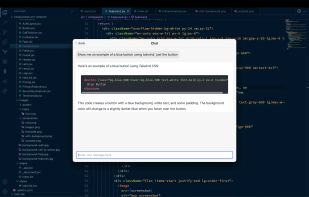
- Chat: Access ChatGPT using a simple command, on top of any app you're using.
- Generate Images: Generate images at the click of a button using OpenAI's DALL-E model.
- Translate: Select a language and using GPT, Commander will translate any text you select.
- YouTube videos: Provide the url of a YouTube video and Commander will answer any question you ask based on the transcript.
A better workflow
Commander GPT will open in front of all your other windows, so you can use it while you work without interrupting your flow.
- Access with a single command: Command+Shift+G to open Commander GPT. Then, type your command and press enter.
- View your history: Commander GPT keeps a local history of all your sessions.
- Customize your assistant: Pass custom system prompts to GPT and change the way it responds to you.