


Delete Folders for Outlook
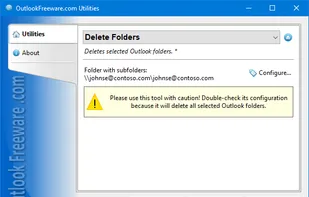
This free utility deletes selected Outlook folders and/or subfolders. To delete many folders or subfolders in Outlook, Exchange Server, and Office 365 mailboxes and public folders, simply select the folders you want and run the utility.
Cost / License
- Free Personal
- Proprietary
Platforms
- Windows

Features
- Folders
Tags
- outlook
- add-in
Delete Folders for Outlook News & Activities
Recent activities
Delete Folders for Outlook information
Developed by
 Relief, LLC
 Licensing
Proprietary and Free Personal product.Alternatives
1 alternatives listedSupported Languages
- English
AlternativeTo Category
Office & Productivity
What is Delete Folders for Outlook?
This free utility deletes selected Outlook folders and/or subfolders. To delete many folders or subfolders in Outlook, Exchange Server, and Office 365 mailboxes and public folders, simply select the folders you want and run the utility. Deleting can be safe – all deleted folders are moved to the "Deleted Items", preserving the structure. If necessary, you can choose to permanently delete folders. Key utility benefits: - Safely removes all selected Outlook folders or Exchange Server public folders at once. - Can delete all selected Outlook/Exchange/Office 365 folders permanently. - Deletes subfolders of the selected folders. - Provides the ability to run directly from Outlook or use a standalone application. - Command line support enables you to delete folders and subfolders from batch files and scripts. The command line tool allows you to delete Outlook/Exchange folders and subfolders in batch files, scripts, Windows Task Scheduler, and other scenarios.