



Desktop+ VR Overlay
Like
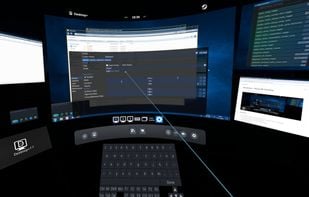
Desktop+ is a powerful, yet lightweight tool for SteamVR bringing your desktops and windows into the VR world. No matter if you just need a more reliable desktop view in your dashboard or a complex context-aware multi-overlay setup with custom shortcuts, Desktop+ offers a wide...
Cost / License
- Free
- Open Source (GPL-3.0)
Platforms
- Windows
- Steam
- SteamVR

Features
- Virtual Reality
Tags
- vr-apps
Desktop+ VR Overlay News & Activities
Highlights All activities
Recent activities
No activities found.
Desktop+ VR Overlay information
Developed by
elvissteinjrLicensing
Open Source (GPL-3.0) and Free product.Written in
Alternatives
7 alternatives listedSupported Languages
- English



No comments or reviews, maybe you want to be first?
What is Desktop+ VR Overlay?
Desktop+ is a powerful, yet lightweight tool for SteamVR bringing your desktops and windows into the VR world. No matter if you just need a more reliable desktop view in your dashboard or a complex context-aware multi-overlay setup with custom shortcuts, Desktop+ offers a wide array of tweakable settings to make the overlays fit your needs.
Features
- User interface with real-time adjustments accessible in VR or on desktop
- Smooth, low-latency mirroring of desktops and windows
- Low memory footprint and performance impact
- Support for creating as many overlays as SteamVR allows at once
- Customizable overlay settings (width, position, curvature, opacity, cropping), with switchable profiles
- 3D support (SBS, HSBS, OU, HOU)
- Overlay visibility and origin settings: Display a desktop/window during gameplay or attach it to a different origin (play space, dashboard, HMD, controllers, tracker)
- Actions: User-definable functions (input simulation, running applications) which can be bound to controller or UI buttons
- Keyboard Extension, enabling use of modifier, arrow and function keys from the SteamVR keyboard
- Elevated access toggle, making it possible to deal with UAC prompts and other UIP-restricted UI in VR without using full admin-access at all times
- Gaze Fade: Fade-out overlay when not looking at it
- Window Management: Change window focus depending on overlay/dashboard state or drag overlays when dragging the title bar of a mirrored window
- Performance Monitor: View system performance in real time