



Dropshelf (Windows)
Stash and hold draggable content until you need it. Dropshelf makes moving and copying files easier and faster.

Features
- Ad-free
- Web Clipper
- Dark Mode
- Drag and Drop
- File Storage
Dropshelf (Windows) News & Activities
Recent activities
- mopetersondesign liked Dropshelf (Windows)
 POX added Dropshelf (Windows) as alternative to Droppy for macOS
 POX added Dropshelf (Windows) as alternative to Tokri
- mattivx added Ad-free as a feature to Dropshelf (Windows)
- mattivx liked Dropshelf (Windows)
 Cykelero added Dropshelf (Windows) as alternative to DragonDrop
Dropshelf (Windows) information
Developed by
William HaLicensing
Proprietary and Freemium product.Pricing
One time purchase (perpetual license) that costs from $4 + free version with limited functionality.Alternatives
12 alternatives listedSupported Languages
- English


Featured in Lists
This is the apps for Windows 11 that I would recommend to anyone who just got a PC ! The same list for
What is Dropshelf (Windows)?
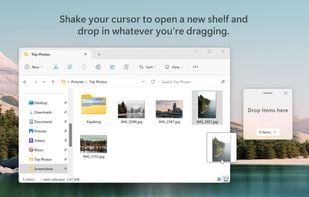
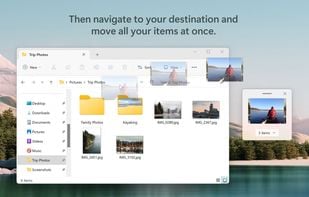
• A "shelf" for your files Shake your cursor to open a new shelf, and drop in whatever you're dragging. Then navigate stress-free between folders, pages, and windows, and drag your files out to where they're supposed to go.
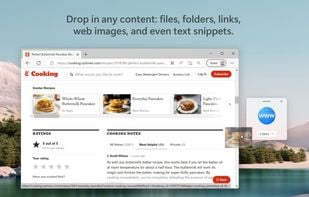
• Hold any content Shelves can hold files, folders, documents, images, videos, multimedia, URLs, web images, and even text snippets.
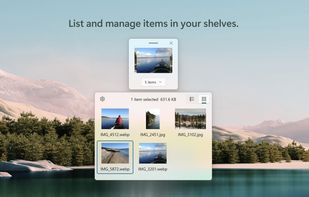
• Save for later Give your shelf a name and custom color - then stash it away and open it up later, right from where you left off.
• Designed for Windows Dropshelf has a thoughtfully crafted UI that feels native to Windows 11, with acrylic materials and controls that follow the latest Fluent design principles.
