



Ferrite
1 like
A fast, lightweight text editor for Markdown, JSON, YAML, and TOML files. Built with Rust and egui for a native, responsive experience.

Features
Properties
- Privacy focused
- Customizable
Features
- No registration required
- No Tracking
- Ad-free
- Live Preview
- Support for MarkDown
- Works Offline
- WYSIWYG Support
- Syntax Highlighting
- Scroll sync
- Search and Replace
- Support for regular expressions
- Split-screen view
 Git integration
- Markdown preview
- Mermaid support
- Distraction-free Writing
Tags
- toml
- mermaid-diagrams
- Markdown Editor
- CSV Viewer
- yaml
- split-view
- JSON
Ferrite News & Activities
Highlights All activities
Recent activities

Ferrite information
Developed by
 Ola Prøis
 Licensing
Open Source (MIT) and Free product.Written in
Alternatives
51 alternatives listedSupported Languages
- English

AlternativeTo Categories
Development, Office & ProductivityGitHub repository
- 861 Stars
- 27 Forks
- 10 Open Issues
- Updated



No comments or reviews, maybe you want to be first?
What is Ferrite?
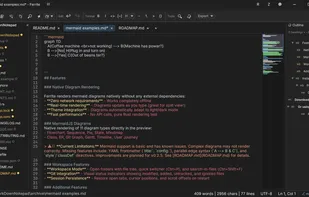
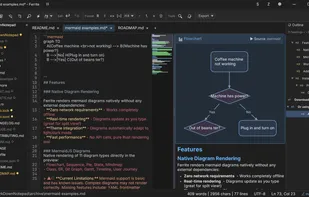
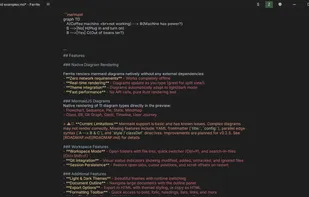
Ferrite is a fast, native Markdown editor with live preview, syntax highlighting, and native Mermaid diagram rendering. Built with Rust and egui for excellent performance.
Features include:
- Three view modes: Raw editing, Split view, and full WYSIWYG preview
- Native Mermaid diagram rendering (flowcharts, sequence, class, state, ER, Gantt, pie charts, and more)
- CSV/TSV viewer with rainbow column coloring and sorting
- JSON/YAML/TOML tree viewer with collapsible nodes
- Git integration with visual status indicators in file tree
- Workspace mode with file tree navigation
- Find and replace with regex support
- Synchronized scrolling between editor and preview
- Customizable syntax highlighting themes (25+ themes)
- Dark and light application themes
- Zen mode for distraction-free writing
- Multi-language interface support
- Multi-encoding file support with auto-detection