



GuideToDocs
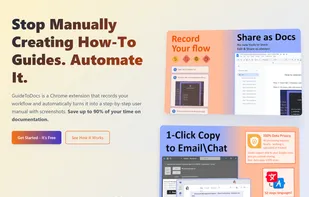
Tired of manually documenting processes? Guide to Docs is the ultimate Chrome extension that records your screen actions and instantly generates professional user guides — complete with screenshots and step-by-step instructions.
Cost / License
- Free
- Proprietary
Platforms
- Google Chrome

Features
- Workflow Automation
- Knowledge Management
- Browser extension
- Corporate training
Tags
- onboarding-tools
- google-docs-generator
- training-documentation
- workflow-documentation
- guide-creator
- Google Chrome Extension
- how-to-guide-creation-tool
- step-by-step-instructions
- instructions-with-screenshots
- screenshot-documentation-tool
- productivity
- Software as a Service
- tutorial-maker
- sop-generator
- Productivity Tool
- steps-recorder
- chrome-extension-documentation
- content-creation
GuideToDocs News & Activities
Recent activities
- Frakke1997 liked GuideToDocs
- sergey-wide updated GuideToDocs
- sergey-wide added GuideToDocs
- POX updated GuideToDocs
- sergey-wide added GuideToDocs as alternative to Scribehow, MagicHow, Guidde and FlowShare
GuideToDocs information
Developed by
 GuideToDocs
 Licensing
Proprietary and Free product.Alternatives
4 alternatives listedSupported Languages
- English


What is GuideToDocs?
Tired of manually documenting processes? Guide to Docs is the ultimate Chrome extension that records your screen actions and instantly generates professional user guides — complete with screenshots and step-by-step instructions. Perfect for IT teams, educators, HR, and content creators!
Key features:
- One-Click Recording – Start/stop with Alt\Command+R (can be changed in options).
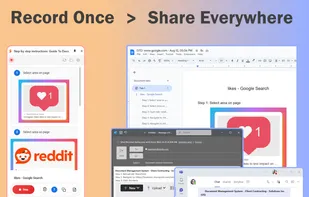
- Professional Export Options – Export directly to Google Docs with formatted documents, or download all screenshots as organized ZIP files with metadata and interaction details.
- Rich HTML Copy – Copy interactions as formatted HTML with embedded images, preserving styling and layout for seamless pasting into emails, documents, and web applications.
- Beautiful Screenshot Styling – Add elegant backgrounds, gradients, rounded corners, and shadows to screenshots with live preview and customizable appearance settings.
- Smart Copy Options – Hover over the copy button to access two options - copy all interactions with full text and images, or copy only images with minimal descriptions for quick sharing.
Guide to Docs solves this by auto-capturing every action into version-controlled, editable Google Docs with timestamped screenshots - transforming hours into minutes!
Top 5 Benefits of Guide to Docs
-
Stop Manual Documentation Pain • No more tedious screenshot taking and step-by-step writing • Focus on your actual work while Guide to Docs automatically captures everything you need for professional documentation
-
Look Professional Without Design Skills • Create polished, designer-quality documentation that impresses clients and teams • No need to hire a designer or spend hours formatting - your guides will look professional instantly
-
Share Without Broken Links • Copy your documentation anywhere and the images stay embedded with perfect formatting • Recipients see exactly what you intended, with no missing visuals or broken links
-
Make Screenshots Stand Out • Transform basic screenshots into elegant, visually appealing content with backgrounds, shadows, and professional styling • Your documentation will look polished, not plain
-
Choose the Right Format for Each Situation • Share full guides for training, image-only copies for quick references, or professional exports for formal documentation • The right format for every context