



HE.NET Network Tools
Like
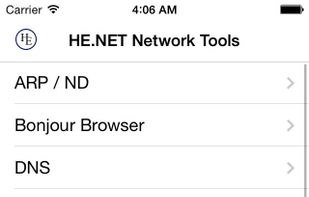
This suite of networks tools implements most of the network diagnostics that you need as a Network Engineer or System Administrator. This is our first version, please help us improve it by giving us feedback.
Cost / License
- Free
- Proprietary
Platforms
- iPhone
- iPad

Features
No features, maybe you want to suggest one?
Tags
- ping-and-ping-sweep
- traceroute-and-mtr
- arp-ndp-list-local-devices
- dns-lookup
- whois
- ssl-tls-info
- ip-subnet-calculator
HE.NET Network Tools News & Activities
Highlights All activities
Recent activities
No activities found.
HE.NET Network Tools information
Developed by
 Hurricane Electric, LLC
 Licensing
Proprietary and Free product.Alternatives
7 alternatives listedSupported Languages
- English


No comments or reviews, maybe you want to be first?
What is HE.NET Network Tools?
This suite of networks tools implements most of the network diagnostics that you need as a Network Engineer or System Administrator. This is our first version, please help us improve it by giving us feedback.
- Interface Information: Get information regarding your device's current network state.
- ARP / NDP: Lookup local devices found on your network using either ARP (IPv4) or NDP (IPv6).
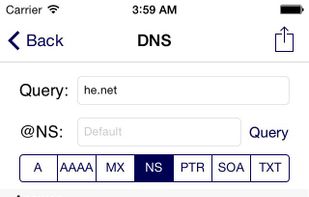
- DNS lookup: Search for a servers DNS zone records such as SOA, NS, A, AAAA, MX, PTR.
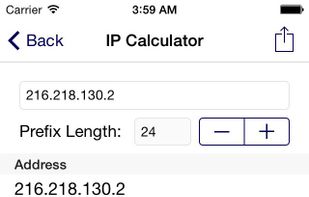
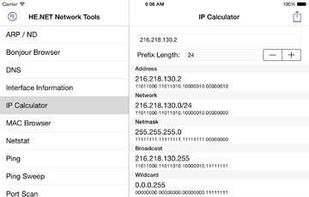
- IP Calculator: Calculate the Netmask, Wildcard, Network, Host range, and Broadcast for a given subnet.
- Ping: Send ICMP packets to a single IPv4/v6 address.
- Ping Sweep: Send ICMP packets to an entire subnet range.
- Traceroute: Find the route packets take to reach your destination.
- Progressive Traceroute: Get detailed statistics for a given route.
- Port Scan: Scan a list of TCP ports on any server.
- SSL/TLS Information: Check available ciphers, protocols and what's being used when connecting to a remove service.
- Whois: Get information regarding network resources.
- NO ADS!
