



LEDBlinky
1 like
Arcade LED Control Software and Animation Editor Here's what LEDBlinky can do:
- Supports the LED-Wiz, Pac-LED64, Pac-Drive, and U-HID USB output control devices. Future support for the Howler Arcade Controller. You can use multiple combinations of any of these devices. *.
Cost / License
- Freemium
- Proprietary
Platforms
- Windows

Features
No features, maybe you want to suggest one?
Tags
- mame
- led-control
- Game
- arcade-emulation
LEDBlinky News & Activities
Highlights All activities
Recent activities
No activities found.
LEDBlinky information
Developed by
UnknownLicensing
Proprietary and Freemium product.Pricing
free version with limited functionality.Alternatives
5 alternatives listedSupported Languages
- English


No comments or reviews, maybe you want to be first?
What is LEDBlinky?
Arcade LED Control Software and Animation Editor Here's what LEDBlinky can do:
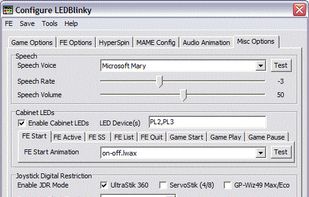
- Supports the LED-Wiz, Pac-LED64, Pac-Drive, and U-HID USB output control devices. Future support for the Howler Arcade Controller. You can use multiple combinations of any of these devices.
- Supports MaLa, AtomicFE, and GameEx integration via plug-in OR stand-alone operation for HyperSpin, Maximus Arcade, or any arcade Front-End (FE) software.
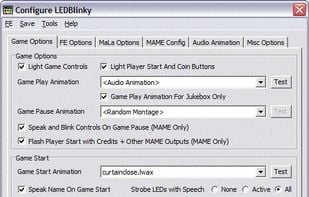
- Light active and/or inactive controls for MaLa, AtomicFE, GameEx, HyperSpin, or Maximus Arcade user interface.
- Light active and/or inactive controls for MAME emulation.
- Light active and/or inactive controls for other emulators.
- Easily configure control attributes (color, intensity, spoken action, input codes, etc.) on a game by game basis, or define defaults for each emulator.
- Remapping controls (MaLa, AtomicFE, GameEx, HyperSpin, Maximus Arcade or MAME) will automatically remap the associated LEDs.
- With RGB LEDs, you can specify colors for individual controls or using a pre-defined colors.ini file, match the original game control panel button colors. Colors or intensities can also be customized on a game-by-game basis.
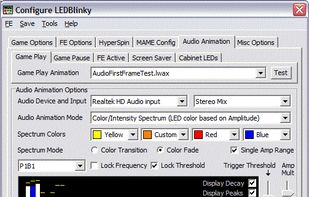
- Use audio output (music or game sounds) to blink, fade, or animate LEDs - great for use with Jukebox software.
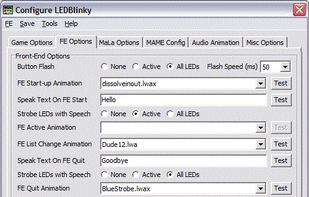
- Blink and speak front-end UI controls by pressing a pre-defined "Help" button.
- Blink and speak controls when pausing a game and/or play a LED animation (selected, random, random montage, or specific to each game) or use audio output (music) to animate the LEDs. This is a MAME only feature.
- Flash start buttons when credits are available - this is a MAME only game dependent feature.
- Light start and coin buttons based on active player count for the current game.
- Flash all or active buttons when any is pressed. And much more...