



Gemini 2
Software tool designed specifically for Mac system to identify and remove duplicate files using intelligent scanning, providing disk space optimization. Features include a drag-and-drop user interface, Finder menu integration, external drive detection, and a one-click duplicate wizard.

Features
 Apple Finder Integration
- Duplicate File Finder
- Drag and Drop
Tags
- duplicate-files
- previews
Gemini 2 News & Activities
Recent News
Recent activities
 scotchi added Gemini 2 as alternative to ShutterSlim
- Fla updated Gemini 2
 TheEmperorArt added Gemini 2 as alternative to Glary Duplicate Cleaner
 TheEmperorArt added Gemini 2 as alternative to Nero DuplicateManager
 TheEmperorArt added Gemini 2 as alternative to Aomei Partition Assistant for Cleanup
 TheEmperorArt added Gemini 2 as alternative to EaseUS DupFiles Cleaner
 TheEmperorArt added Gemini 2 as alternative to iBeesoft Duplicate Finder
 TheEmperorArt added Gemini 2 as alternative to Ashampoo Duplicate File Finder
 TheEmperorArt added Gemini 2 as alternative to FileFusion


Gemini 2 information
Developed by
 MacPaw Way Ltd.
 Licensing
Proprietary and Commercial product.Pricing
One time purchase ranging between $45 and $100, and / or subscription ranging between $1 and $16 per month.Alternatives
82 alternatives listedSupported Languages
- English



Featured in Lists

A list with 49 apps by hercut without a description.
What is Gemini 2?
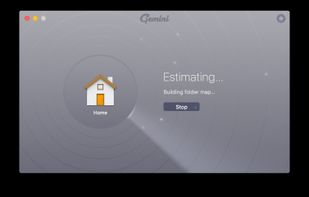
Gemini 2 is a software tool that identifies and removes duplicate files from your Mac system to increase disk space. It has a user-friendly interface with drag-and-drop support and a pie chart file categorization. Its powerful search engine uses fast scanning algorithms to detect duplicates, even within folders and on external drives. The software features a one-click duplicate selection wizard and scans directly from the Finder’s menu. It protects original files during removal and has a built-in preview feature. Gemini 2 offers sorting options and can move duplicates to Trash or erase them. It allows users to create a list of files, folders, or extensions to ignore and select the minimal size of duplicates to find.

Comments and Reviews
I like Gemini 2, it does the job fast, nice UI and decent UX. For some reason I cannot disable permanently the duplicate monitor, the setting is not saved after the program closes it seems.
easy to use, works for iTunes and iPhotos.