



MacTiler
Split screen and organize windows on Mac with keyboard shortcuts, drag-and-drop zones, and professional layouts. Better than native Split View. Multi-monitor support.
 EU
EU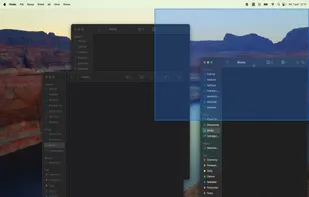

Features
- Support for Multiple Monitors
- Works Offline
- Live Preview
- Ad-free
- No registration required
- Support for Keyboard Shortcuts
- Multiple windows
- Multiple window layouts
- Multi-windows
- Drag and Drop
- Split-screen view
Tags
- split-screen
- mac-utility
- arrange-windows
MacTiler News & Activities
Recent activities
- bnchndlr liked MacTiler
- POX updated MacTiler
 POX added MacTiler as alternative to Microsoft PowerToys, DisplayFusion, BetterTouchTool and AquaSnap
- POX added MacTiler

MacTiler information
Developed by
 Simplifunner
 Licensing
Proprietary and Commercial product.Pricing
One time purchase (perpetual license) ranging between $20 and $60.Alternatives
52 alternatives listedSupported Languages
- English
- Dutch
- French
- Spanish
- Italian
- Portuguese
- German
- Swedish
- Danish
- Polish
- Russian
- Arabic
- Hebrew
- Japanese
- Korean
- Chinese
AlternativeTo Category
OS & Utilities


What is MacTiler?
Stop wasting time arranging windows. Transform chaotic windows into organized layouts. Work smarter, not harder.
Your Workflow, Perfected
Choose your preferred interaction method – or use all three. MacTiler adapts to your workflow.
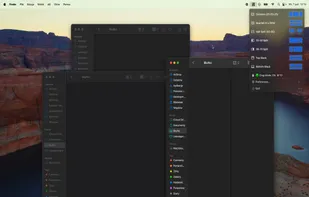
Click & Apply
Select a layout from the menubar and instantly position 2-4 windows. Click again to reorder windows within the same layout.
- Multi-window positioning
- Reorder with repeated clicks
- Preview before applying
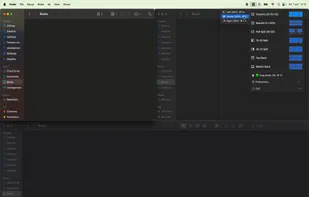
Keyboard Shortcuts
Lightning-fast navigation between zones with intuitive shortcuts. Fully customizable to match your muscle memory.
- Intuitive default shortcuts
- Fully customizable bindings
- Move to any zone instantly
Drag & Drop
Drag windows to see visual zone highlights. The highlighted zone is where your window will be placed. Toggle on/off anytime.
- Visual zone highlighting
- Clear drop target preview
- Quickly toggle on/off