



MagicPath
Web-based AI platform enabling visual generation and refinement of UI components, layouts, and product flows, supports interactive code-backed prototypes, facilitates direct edits, shares designs for review, and imports Figma selections while preserving assets for prototyping and export.
Cost / License
- Freemium
- Proprietary
Application types
Platforms
- Online
- Figma

Features
- No Coding Required
- UI Design
 Figma Integration
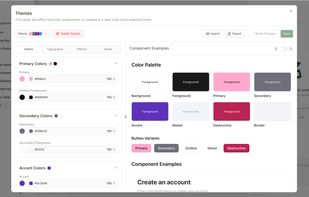
- Design System
- Visual Editing
- Infinite canvas
- Prototyping
- Interactive Prototyping
- AI-Powered
- Import from Figma
Tags
- ai-design
- web-app-builder
- ai-development
- ai-apps
- figma-design-to-code
- ai-applications
- AI App Creation
- ai-website-generator
- figma-to-code
- ai-website-builder
- ai-app-builder
- generative-ai-apps
- ai-design-tool
- design-to-code
MagicPath News & Activities
Recent News
- Maoholguin published news article about MagicPath
 AI prototyping tool MagicPath launches new Figma import tool with full visual fidelity
The AI-based website builder and prototyping tool MagicPath has launched Figma Connect, a feature t...
Recent activities
 Maoholguin added MagicPath as alternative to Modulify, CodeDesign.ai, Bolt AI and Hostinger Horizons
 Maoholguin added MagicPath as alternative to Builder.io, Frappe Builder, Tips.io and Solo
- Maoholguin added MagicPath
MagicPath information
Licensing
Proprietary and Freemium product.Pricing
free version with limited functionality.Alternatives
48 alternatives listedSupported Languages
- English



What is MagicPath?
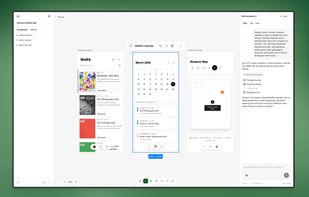
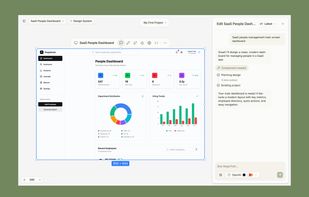
MagicPath is a web based AI design and prototyping platform for creating and iterating on UI components and full page layouts such as landing pages, dashboards, and product flows.
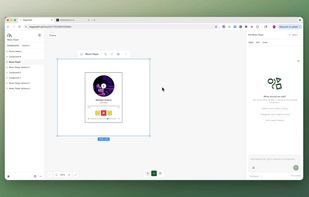
It provides a visual canvas where you can generate designs from prompts, refine them through further prompting or direct edits, and produce interactive, code backed prototypes that can be shared for review.
MagicPath also supports a Figma to MagicPath workflow called Figma Connect, where you copy a selection from Figma and paste it into MagicPath to recreate the design with assets and visual details preserved for prototyping and code export.