



Map
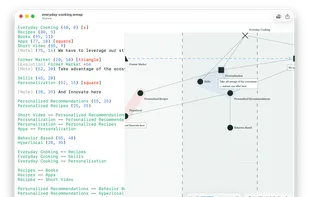
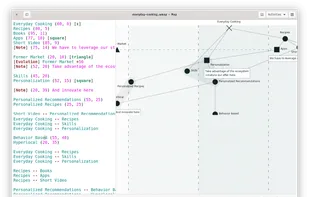
Map is a Wardley map editor for macOS and Linux that uses a simple language to easily create and edit maps. Draw components, link dependencies, create groups, write notes, or add inertia and evolution markers, and see your map change in an instant.
Cost / License
- Free
- Open Source (AGPL-3.0)
 EU
EUPlatforms
- Mac
- Linux
- Flathub
- Flatpak

Map
Features
Properties
- Lightweight
- Privacy focused
- Customizable
Features
- Ad-free
- Syntax Highlighting
- Works Offline
- No registration required
- No Tracking
Tags
- wardley-map
- wardley-map-editor
Map information
Developed by
 Tranquil Systems
 Licensing
Open Source (AGPL-3.0) and Free product.Alternatives
0 alternatives listedSupported Languages
- English
What is Map?
Map is a Wardley map editor for macOS and Linux that uses a simple language to easily create and edit maps. Draw components, link dependencies, create groups, write notes, or add inertia and evolution markers, and see your map change in an instant.
Map is built natively for the Mac, and comes with a Quick Look plugin to preview your map files, collaboration via iCloud Drive, and everything you'd expect from a native app.
Map is cost-free, tracker-free, and free/libre software. No subscription, no account, no data collected, and licensed under AGPL 3.0, so it stays free.
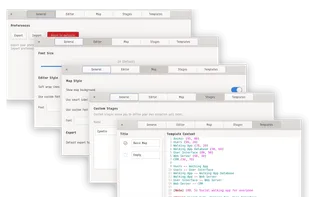
Map lets you customize the fonts and background in your map, and allows you to add custom templates for recurring starting points, and add your own stages of evolution for specialized analysis.
Tools should work for you, and that's why map uses plain text files, and exports to widely supported image formats. But just to be sure, you have access to wmap tools that expand what you can do with your maps.
Map's smart label placement keeps your maps legible, and our smart editor helps you spot mistakes and add missing components, or you can use your mouse for quick component adjustments.
Map's source editor helps you spot mistakes with syntax highlighting.