
Mixing Station
1 like
Mixing Station allows you to remote control digital mixers from various manufacturers in one unified UI.
Cost / License
- Pay once
- Proprietary
 EU
EUPlatforms
- iPhone
- iPad
- Android
- Android Tablet
- Kindle Fire
- HUAWEI AppGallery
- Windows
- Mac
- Linux

Features
- Mix Music
Mixing Station News & Activities
Highlights All activities
Recent activities
- entersstuart liked Mixing Station
 OpenSourceSoftware added Mixing Station as alternative to Qu-Pad and PreSonus Universal Control
 OpenSourceSoftware added Mixing Station as alternative to X32-Mix and M32-Mix
- OpenSourceSoftware added Mixing Station
Mixing Station information
Developed by
 David Schumann
 Licensing
Proprietary and Commercial product.Pricing
One time purchase (perpetual license) ranging between $4 and $15.Alternatives
4 alternatives listedSupported Languages
- English


No comments or reviews, maybe you want to be first?
What is Mixing Station?
Mixing Station allows you to remote control digital mixers from various manufacturers in one unified UI.
The following models are supported:
- Behringer X32 / M32
- Behringer XAir / MR
- Midas HD96
- Behringer WING
- A&H dLive
- A&H Avantis
- A&H GLD
- A&H iLive
- A&H CQ
- A&H SQ
- A&H Qu
- PreSonus StudioLive3
- Soundcraft Si
- Soundcraft Vi
- Soundcraft Ui
- Mackie DL32S/16S DL32R DL1608
- Yamaha DL3 / TF
Note: In app purchases are required for establishing a connection to the mixer. The offline mode can be tested without any payments.
Features:
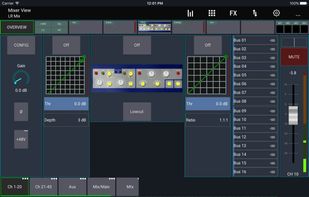
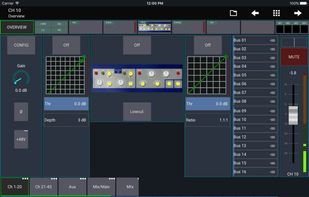
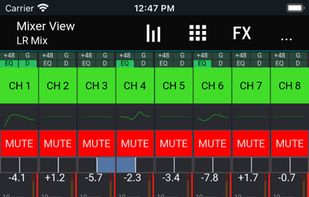
- Fully customizable UI
- Create unlimited DCAs (IDCAs)
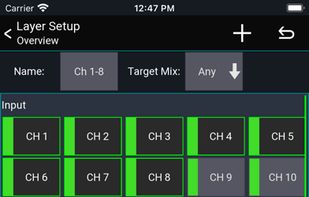
- Customizable layers, layouts, channel strip and app theme
- RTA overlay in PEQ /GEQ view
- Channel linking and relative ganging
- Gain reduction history for gate and dynamics
- Peak hold for all meters, editable hold times
- MIDI support for external control
- High contrast mode for outdoor usage
- Popgroups
- Routing Matrix
- Up to 32 channels channels per layer
- Mix copy
- Mixer independent channel presets
- FX presets
- Feedback detection for ringing out wedges
- More features available depending on the connected mixer model
- Community feature for sharing presets, themes and more with other users
Note: This app is not a DAW! It does not play any audio! It is for remote controlling only. For more details visit the manual: https://mixingstation.app/ms-docs/feature-list/