


Notedrafts
5 likes
Notedrafts is a powerful note-taking app that lets you write, draw, and organize your thoughts across different types of documents. Whether you're marking up a PDF, writing on a large canvas, or taking notes in a long vertical layout, Notedrafts adapts to your workflow.
Cost / License
- Freemium (Pay once)
- Proprietary
Application types
Platforms
- Mac

Features
Properties
- Lightweight
- Customizable
Features
- PDF annotation
- Ad-free
- No Tracking
- No registration required
- Note organization
- Customizable templates
- Content Templates
- Import PDF
- Scan documents
- Notebook
- Document templates
- Habit Tracker
- Freeform notes
Tags
- canvas
Notedrafts News & Activities
Highlights All activities
Recent News
No news, maybe you know any news worth sharing?
Share a News TipRecent activities
 POX added Notedrafts as alternative to LinNote
 elasticnote added Notedrafts as alternative to Elasticnote
 Breeen added Notedrafts as alternative to StarNote
- nicolestubbs8 liked Notedrafts
 atsokolas added Notedrafts as alternative to Note Taker
 POX added Notedrafts as alternative to Chat Notes
 POX added Notedrafts as alternative to Nottodbox
 POX added Notedrafts as alternative to NoteGen
- plyght liked Notedrafts
 Mindnote added Notedrafts as alternative to MindNote

Notedrafts information
Developed by
Appycron Interactive e.K.Licensing
Proprietary and Freemium product.Pricing
One time purchase (perpetual license) that costs $8 + free version with limited functionality.Alternatives
65 alternatives listedSupported Languages
- English


No comments or reviews, maybe you want to be first?
What is Notedrafts?
Notedrafts is a powerful note-taking app that lets you write, draw, and organize your thoughts across different types of documents. Whether you're marking up a PDF, writing on a large canvas, or taking notes in a long vertical layout, Notedrafts adapts to your workflow.
Take notes your way
- Write directly on PDFs
- Create notebooks with customizable templates
- Sketch and brainstorm on a large freeform canvas
- Take notes on vertically extended pages for long lists or continuous writing
Customizable templates
- Choose from daily planners, monthly calendars, habit trackers, and more
- Adjust start times, set the current month, and choose how many habits to track
- Change page size and background color
Import and export
- Import PDFs, images, or scan paper documents
- Export your notes and share them easily
Organize with ease
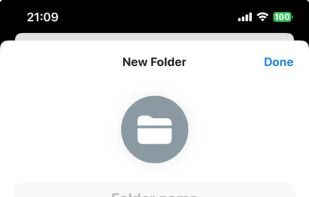
- Create folders with custom icons and colors
- Pin important documents and folders to the sidebar for quick access
Advanced writing and drawing tools
- Pens - Regular Pen, Monoline, Fountain Pen, Pencil, Watercolor, Highlighter
- Tools - Ruler, Stroke Eraser, Pixel Eraser, Lasso
- Insert images and text into your notes
