



OmniScraper
The ultimate no-code web scraping solution. Extract structured data from any website with just a few clicks. 100% local processing ensures complete privacy. Export to CSV, Excel, or JSON.
Cost / License
- Freemium (Pay once or Subscription)
- Proprietary
Platforms
- Google Chrome

Features
Properties
- Lightweight
- Privacy focused
Features
- Dark Mode
- No Coding Required
- No Tracking
- AI-Powered
OmniScraper News & Activities
Recent activities
- nioleads added OmniScraper
- POX updated OmniScraper
 nioleads added OmniScraper as alternative to Web Scraper, Scrapy, Apify and ParseHub
OmniScraper information
Developed by
NioleadsLicensing
Proprietary and Freemium product.Pricing
One time purchase that costs $29, and / or subscription that costs $20 per month + free version with limited functionality.Alternatives
10 alternatives listedSupported Languages
- English


What is OmniScraper?
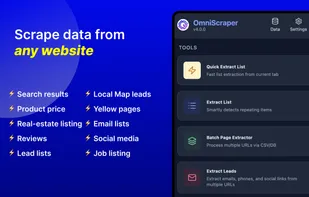
OmniScraper revolutionizes web data extraction with a powerful yet simple no-code approach. This browser extension enables anyone—regardless of technical expertise—to extract structured data from any website through an intuitive visual interface.
Key Features:
• Visual Point-and-Click Scraping: Click any element on a webpage to extract data instantly. Intelligent selector generation handles all technical complexity automatically.
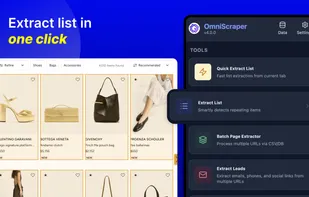
• Smart Detection: Automatically detects lists, tables, and data structures with intelligent header mapping and Quick Extract mode for rapid data collection.
• Automatic Pagination: Navigate through multiple pages effortlessly with support for click-based navigation, infinite scroll detection, and built-in loop prevention.
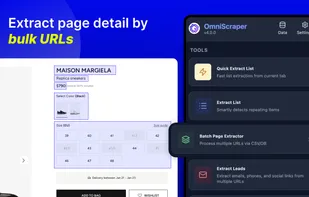
• Batch Processing: Upload CSV files with multiple URLs and process hundreds of pages at once with efficient queue-based task scheduling.
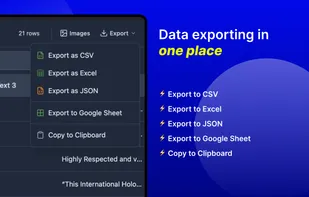
• Multiple Export Formats: Export your data in CSV, Excel (XLSX), or JSON formats for seamless integration with your existing tools and workflows.
• Leads Extraction: Extract emails, phone numbers, and social media links from multiple URLs in batch for lead generation and contact discovery.
• Image Download: Download all images from any webpage with support for lazy-loaded and background images, organized in folder structures.
• 100% Local Processing: All data stays in your browser. No external servers, complete privacy, and security for your extracted data.
Perfect for marketers collecting competitor data, researchers gathering information, data analysts extracting structured datasets, and anyone who needs to transform web content into usable data formats. OmniScraper handles everything from simple single-page extractions to complex multi-page batch processing scenarios.
Available for Chrome, Edge, and other Chromium-based browsers. Free to download and use—no credit card required. Start extracting data from websites in minutes, not hours.