



PDF Professional
2 likes
PDF Professional is a feature-rich PDF solution for reading, annotating, form-filling, editing, signing, converting PDFs on your Mac, iPhone and iPad.
Cost / License
- Freemium (Pay once)
- Proprietary
Application types
Platforms
- Mac
- iPhone
- iPad

Features
- Fill PDF Forms
- PDF annotation
- Dark Mode
- Create PDF files
- Convert images to PDF
- Edit PDF
- Convert PDF to Word document
Tags
PDF Professional News & Activities
Highlights All activities
Recent activities
No activities found.


PDF Professional information
Developed by
 Build to Connect, Inc.
 Licensing
Proprietary and Freemium product.Pricing
One time purchase (perpetual license) that costs $0 + free version with limited functionality.Alternatives
39 alternatives listedSupported Languages
- English
- French
- German
- Italian
- Japanese
- Portuguese
- Chinese
- Spanish
AlternativeTo Categories
Office & Productivity, Photos & GraphicsApple AppStore
- Updated
- 4.46 avg rating


No comments or reviews, maybe you want to be first?
What is PDF Professional?
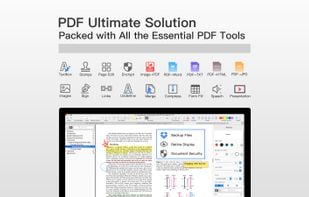
PDF Professional Suite is a full-featured PDF document expert that transforms your Mac into a powerful PDF Office. PDF Professional Suite is a one-stop shop for your Adobe Acrobat PDF document needs. This app provides a complete array of functions to help annotate, view, fill form, sign, edit, bookmark, outline, merge, split, compress and convert your PDFs into Word/HTML/TXT/Png/Jpg files
Packed with all the essential PDF tools, PDF Professional for Expert is your last PDF application you would ever need.
Reading
- Reading modes - Multi-tab viewing, full-screen, auto flow
- Presentation - Slideshow Mode to present your PDF as PPT.
- Create and Edit outlines / bookmarks
- Night mode
- TTS (Text-to-Speech)
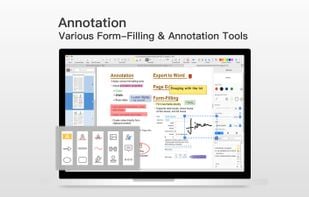
Annotation
- Annotate PDFs with highlight, underline, text box, images, and so much more
- Link - Add hyperlinks to PDFs : Page Number/URL/Email.
- Stamps - Able to customize stamps comprised of text and image
- Sign - Create multiple signatures for any situations with trackpad, keyboard or images.
Form-Filling
- Fill out any Adobe Acrobat PDF forms with interactive fields such as text fields, checkboxes and etc.
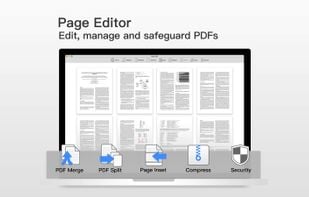
PDF Page Editor
- Merge - combine multiple files into one document
- Split - Split files based on desired number of pages or files
- Extract - Extract the desired pages to create a new PDF
- Insert - Insert another file into the existing file
- Rotate, delete, replace, and crop pages
- PDF Compressor
- Security
Page Sizing & Handling
- Booklet - Booklet puts your pages side by side re-sorted for booklet printing
- Poster - Poster divide large PDF page(s) into multiple smaller Pages
- Multiple - You can print more than one page of a PDF on a single sheet of paper
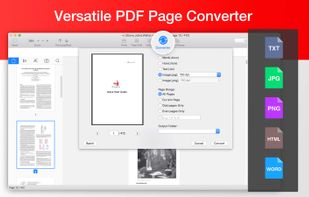
PDF Convertor
- Export PDFs to iWork, MS Word, Text, JPG, PNG and HTML
- Support to convert Word, Pages, Docs into PDF
- Directly transform images imported from scanner or iOS device to PDF

