
Pic Stitch
1 like
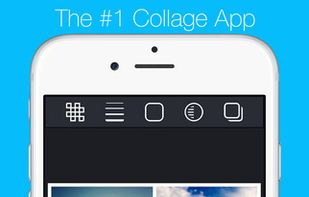
Quickly combine multiple photos into one beautifully framed picture. Pic Stitch packs a simple design with a powerful editor to give you everything you could possibly want to make your photo's simply amazing.
Cost / License
- Freemium (Pay once)
- Proprietary
Application type
Platforms
- Windows
- Android
- iPhone
- Android Tablet
- Windows Phone
- iPad

Features
- Collage
Tags
- google-play-pass-apps
- Photo Editing
- photographic-series
- foto-grid
Pic Stitch News & Activities
Highlights All activities
Recent activities
No activities found.
Pic Stitch information
Developed by
picstitchappLicensing
Proprietary and Freemium product.Pricing
One time purchase (perpetual license) that costs $0 + free version with limited functionality.Alternatives
9 alternatives listedSupported Languages
- English
- Danish
- Dutch
- Finnish
- French
- German
- Italian
- Japanese
- Korean
- Malay
- Portuguese
- Russian
- Chinese
- Spanish
- Swedish
- Turkish
- Vietnamese
AlternativeTo Categories
Photos & Graphics, Social & CommunicationsApple AppStore
- Updated
- 4.67 avg rating


No comments or reviews, maybe you want to be first?
What is Pic Stitch?
Use Pic Stitch to create a before-and-after sequence, combine great photos of each of your kids, or produce a photographic series.
- Features *
- Up to 245 different layouts
- 15 different photo aspect ratios (1x1, 4x6, 3x4, 5x7, 9x16, etc)
- Order prints to be picked up at Walgreens in about an hour with QuickPrints.
- Export to Instagram, Dropbox, Evernote or any other installed application that will accept JPEG images.
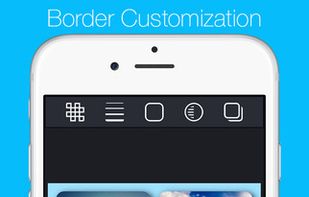
- Customize photo borders (Borders Add-On Pack only)
- Easy to use UI
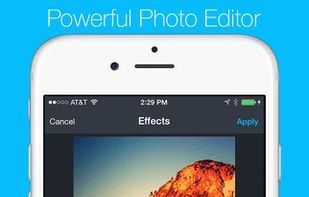
- Amazing photo fx filters
- Pan, rotate, flip, mirror and zoom
- Share onto Facebook, Twitter, Instagram, Path and More
- Save to photo album
- Share via email
- High resolution export
Share your masterpiece on your favorite social media networks including Facebook, Twitter and Instagram. Or order prints from your local Walgreens for in-store pickup.