



PicTools.AI
Like
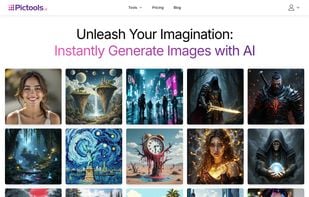
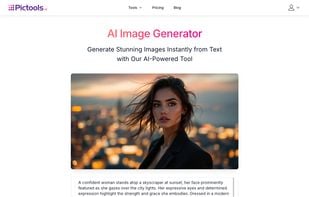
PicTools.AI is an AI photo editor and image generator. Edit photos with prompts, apply one-click style filters and realistic transformations, or create images from text in seconds.
Cost / License
- Freemium (Pay once or Subscription)
- Proprietary
Application type
Platforms
- Online
- Software as a Service (SaaS)

Features
Properties
- Privacy focused
- Lightweight
Features
- No Tracking
- Image to Image Generation
- Ad-free
- Live Preview
- Text to Image Generation
- AI-Powered
- Photo effects
- Photographic filters
Tags
PicTools.AI News & Activities
Highlights All activities
Recent activities
- PicToolsAI-Team updated PicTools.AI
 qweasdzxc82 added PicTools.AI as alternative to Change Photo Background
 shard_0hear added PicTools.AI as alternative to Photo Prompt AI
PicTools.AI information
Licensing
Proprietary and Freemium product.Pricing
One time purchase that costs from $9, and / or subscription that costs from $9 per month + free version with limited functionality.Alternatives
52 alternatives listedSupported Languages
- English


No comments or reviews, maybe you want to be first?
What is PicTools.AI?
PicTools.AI is an AI image editor and generator. Edit photos by describing what you want to change, apply one-click filters for styles and realistic transformations, or create brand-new images from text in seconds.
Three ways to use PicTools.AI:
- Prompt-based AI editor: remove objects or people, replace backgrounds, remove or change text, relight or fine-tune lighting, subtle retouching, restore old photos, change clothing or hair color.
- One-click AI filters: styles like Anime, Caricature, Sketch, Vintage, Polaroid, 90s, Sin City, plus realistic transformations like Blonde Hair, Short Hair, Smile, Crying, Braces, Aging.
- AI image generation from text: create images from scratch with photorealistic, artistic, or futuristic looks.
How it works:
- Upload a photo (or start from text to generate)
- Type a prompt or choose a one-click filter
- Review and download
Why PicTools.AI:
- Natural results without plastic skin, halos, oversaturation, or oversharpening
- Preserves identity and proportions for a realistic finish
- Works in your browser on desktop and mobile
- Free credits when you sign up to try it