



ReaderView
Like
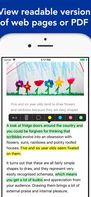
View and save any "readable" web pages and PDF documents directly from Mobile Safari, export to PDF or fulltext with images.
+1
Cost / License
- Pay once
- Proprietary
Platforms
- iPhone
- iPad
- Online

Features
Properties
- Lightweight
Features
- Ad-free
- Dark Mode
- Full-Text Search
- Sync with iCloud
- Highlighter
- Toggle reader view
- Text Highlighting
- Reading mode
- PDF support
ReaderView News & Activities
Highlights All activities
Recent activities
No activities found.
ReaderView information
Developed by
 AppBlit LLC
 Licensing
Proprietary and Commercial product.Pricing
One time purchase (perpetual license) that costs $8.Alternatives
7 alternatives listedSupported Languages
- English


No comments or reviews, maybe you want to be first?
What is ReaderView?
The ultimate "Reader View" that works on any web page, including documents like Word, Text files and PDF (text only for PDFs for now).
- one tap to view a "readable" version of any web page
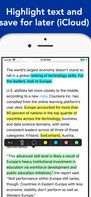
- Easily highlight and comment articles
- Articles are saved for later (perfect for airplane offline mode, and ReaderView keeps the images)
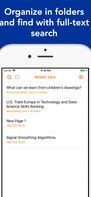
- Efficiently Search and Organize your articles
- Full Text Search of all your articles from the list, or Find Text inside each article
- Share your highlights (HTML, Text, PDF export with Open In...)
- Synchronized with iCloud to access your articles from all your devices
- Support for SpotLight search
- Export your highlighted articles to PDF and view in other apps such as DropBox, Box, Drive, EverNote, Email
- Dark Mode and Auto-Scroll (tap on the bottom to start auto-scroll)
- Supports Asian and bidi languages (Arabic, Hebrew)
- Works from Mobile Safari, Apple News, Twitter, TweetBox, Newsify, Feedly, Word files, etc.
