



RecoveryRobot Photo Recovery
Like
Digital photo recovery software particularly designed to recover photo, video, and audio files from local drives and external digital devices; Enjoy its high photo recovery success rate, comprehensive photo data recovery functions, and ease of use.
Cost / License
- Freemium (Subscription)
- Proprietary
Application type
Platforms
- Windows

Features
- Photo Recovery
Tags
- picture-recovery
RecoveryRobot Photo Recovery News & Activities
Highlights All activities
Recent activities
No activities found.
RecoveryRobot Photo Recovery information
Developed by
 ReoveryRobot
 Licensing
Proprietary and Freemium product.Pricing
Subscription that costs up to $5 per month + free version with limited functionality.Alternatives
27 alternatives listedSupported Languages
- English
AlternativeTo Category
Security & Privacy


No comments or reviews, maybe you want to be first?
What is RecoveryRobot Photo Recovery?
RecoveryRobot Photo recovery is a digital photo recovery software program particularly designed to recover photo, video, and audio files from local drives and external digital devices like memory card, USB drive, camera, mobile phone; Enjoy its high photo recovery success rate, comprehensive photo data recovery functions, and ease of use.
What RecoveryRobot Photo Recovery is capable of
- Recover photo, image, video and Audio accidentally deleted from digital camera
- Recover photo, image, video and audio deleted from local or external drives
- Recover photo, image, video and audio unintentionally deleted from memory card, USB drive
- Recover photo, image, video and audio accidentally deleted from mobile phones
- Recover photo, image, video and audio accidentally emptied from recycle bin
- Recover photo, image, video and audio lost due to formatted partition/drives/external drives
- Recover photo, image, video and audio lost because of memory/SD card failure
- Recover photo, image, video and audio lost due to damage of your digital camera
- Recover photo, image, video and audio lost for other possible reasons
Why choosing RecoveryRobot Photo Recovery
- It has a comparatively high photo recovery success rate.
- It's easy-to-use and does not require professional skills.
- It's comprehensive in dealing various photo/video loss situations.
- It has a very fast scanning speed so you don't have to wait long.
- It's a DIY process and you don't want a third party to handle your private photo or videos.
- It's small in size and consumes very little computer's resources.
- It supports RAW file formats of popular DSLRs like Canon, Nikon, Sony
How does RecoveryRobot Photo Recovery work
- Step1. Download and install RecoveryRobot Photo Recovery on your PC
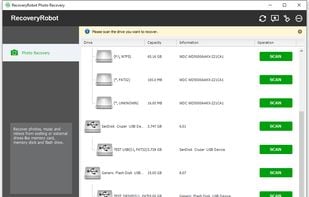
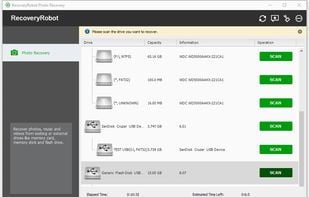
- Step2. Scan the drive or the device where the lost/deleted photo or video is located
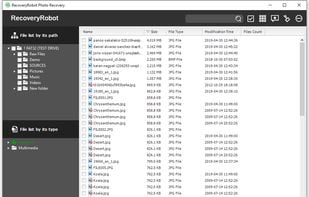
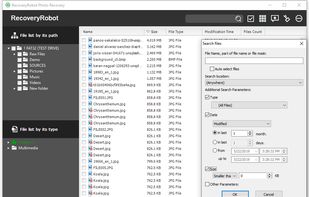
- Step3. Find and recover the lost/deleted photo or video in the scan results