



RenameClick
RenameClick is an offline-first AI tool that intelligently renames and organizes files based on their actual content. Designed for macOS and Windows, it helps keep real-world workflows tidy by transforming messy, meaningless file names into clear, descriptive ones - and...


Features
- Batch Rename Files
- Dark Mode
- Ad-free
- Works Offline
- Automate File Organization
- File Renaming
- AI-Powered
- File Organizer
RenameClick News & Activities
Recent activities
 Maoholguin added RenameClick as alternative to Floxtop
- Alecs updated RenameClick
- Robert94 liked RenameClick
- Alecs updated RenameClick
- Alecs added RenameClick
 Alecs added RenameClick as alternative to AI Photo Rename
RenameClick information
Licensing
Proprietary and Freemium product.Pricing
One time purchase (perpetual license) ranging between $8 and $48 + free version with limited functionality.Alternatives
2 alternatives listedSupported Languages
- English


What is RenameClick?
RenameClick is an offline-first AI tool that intelligently renames and organizes files based on their actual content. Designed for macOS and Windows, it helps keep real-world workflows tidy by transforming messy, meaningless file names into clear, descriptive ones - and automatically sorting files into the right folders.
By default, all processing happens locally on your computer using a built-in AI model. Files are not uploaded anywhere, ensuring privacy and full control over your data. For users who want more flexibility, RenameClick also supports optional cloud providers as well as local LLM integrations such as LM Studio and Ollama.
The app supports a wide range of file formats, including common image types like JPG, JPEG, PNG, and GIF, as well as documents such as PDF, DOC, and DOCX.
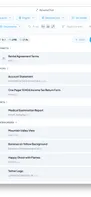
With batch processing, you can rename and organize hundreds of files in minutes. RenameClick analyzes each file's content and suggests meaningful names, which you can review and apply in a single click.
File Organizer. In addition to renaming, RenameClick can automatically categorize files and move them into folders using presets. By default, it includes two ready-to-use presets, but the real power comes from creating your own preset with categories that match your workflow. You define the category names and structure, and RenameClick sorts files accordingly.
RenameClick also supports multiple languages for generated file names, making it suitable for international and multilingual workflows.
For advanced use cases, RenameClick allows you to define custom AI instructions (custom prompts). This makes it possible to control naming behavior in detail, enforce your own naming conventions, extract specific fields like dates or amounts, and adapt file names and categorization to domain-specific workflows.
