



Sanebar
Menu bar manager for macOS - hide and organize your menu bar icons.

Cost / License
- Free
- Open Source (MIT)
Platforms
- Mac


Features
- Swift
Tags
- mac-app
- swiftui
- open source
- claude-ai
- pair-programming
- menu-bar-manager
- vibecoding
- MacOs
Sanebar News & Activities
Recent activities


Sanebar information
Developed by
 stephanjoseph
 Licensing
Open Source (MIT) and Free product.Written in
Alternatives
2 alternatives listedSupported Languages
- English



What is Sanebar?
Clean up your Mac's menu bar in one click.
Free. Private. No account needed. How It Works: Click the SaneBar icon to show/hide your menu bar icons Cmd+drag icons to choose which ones hide That's it! Icons to the left of SaneBar = always visible Icons to the right of SaneBar = can be hidden
Features One-click hide/show - Click to toggle visibility Hover to reveal - Show icons when you mouse over the menu bar Auto-hide - Icons disappear after a configurable delay Keyboard shortcuts - Global hotkeys for everything WiFi triggers - Auto-show icons on specific networks Profiles - Save different setups for work/home Works great on MacBooks with notches.
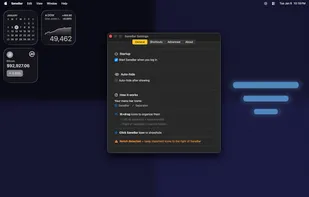
Configuration All settings are in the Settings window (click SaneBar icon > Settings, or use your configured shortcut).
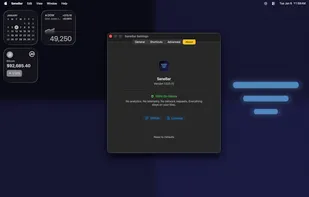
Tab What's there General Launch at login, auto-hide delay Shortcuts Global keyboard shortcuts, AppleScript commands Advanced Profiles, always-visible apps, triggers, appearance About Version info, privacy badge, licenses Smart Triggers (Settings > Advanced > Automation):
Hover: Show hidden icons when you mouse over the menu bar area Low Battery: Auto-show when battery drops below threshold App Launch: Show when specific apps start (enter bundle IDs) WiFi Networks: Show on specific networks (enter SSIDs or click "Add current network")
Privacy Your data stays on your Mac. SaneBar makes zero network requests. No analytics. No telemetry. No account.
Comments and Reviews
Unfortunately it requires Sequoia and there seem to be no option for earlier OS versions.