



ScreenArc
14 likes
Cross-platform screen recording and editing tool featuring automated cinematic pan-and-zoom on mouse actions, webcam overlay, customizable visuals, timeline editor, multi-monitor support, instant aspect ratio switching, style presets, and 2K output in MP4 or GIF.

Features
- Screen Recording
- Webcam recording
- Webcam overlays
- Webcam Support
- Cross-Platform
- React
- Trim video
- Live Screen Recording
Tags
- open source
- tailwindcss
- tutorial-videos
- screenrecorder
- electron-app
- content-creation
- cinematic-video
- ffmpeg
- productivity
- typescript
ScreenArc News & Activities
Highlights All activities
Recent activities
ScreenArc information
Developed by
 tamnguyenvan
 Licensing
Open Source (GPL-3.0) and Free product.Written in
Alternatives
35 alternatives listedSupported Languages
- English

AlternativeTo Category
Video & MoviesGitHub repository
- 260 Stars
- 13 Forks
- 9 Open Issues
- Updated



What is ScreenArc?
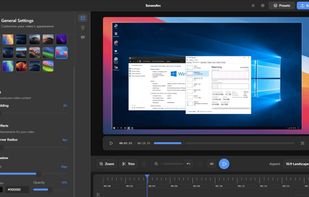
ScreenArc is a smart screen recording and editing tool that makes professional video creation effortless. It automatically tracks your mouse movements and clicks, creating smooth cinematic animations that keep viewers focused on what matters. No manual keyframing needed!
Perfect for developers, educators, and content creators who want to produce stunning tutorials, demos, and presentations.
- Flexible Capture: Record your full screen, a specific window, or a custom area with seamless multi-monitor support.
- Webcam Overlay: Add a personal touch by including your webcam feed in the recording.
- Cinematic Mouse Tracking: Automatically generates smooth pan-and-zoom effects that follow your mouse clicks, keeping the action front and center.
- Powerful Editor: A visual timeline to easily trim clips, customize frames, backgrounds (colors, gradients, wallpapers), shadows, and more.
- Instant Aspect Ratios: Switch between 16:9 (YouTube), 9:16 (Shorts/TikTok), and 1:1 (Instagram) with a single click.
- Preset System: Save your favorite styles and apply them instantly to future projects for a consistent look.
- High-Quality Export: Export your masterpiece as an MP4 or GIF with resolutions up to 2K.
Comments and Reviews
Very impressive FOSS app. Confirmed the AppImage works perfectly on CachyOS.