


SearchJumper
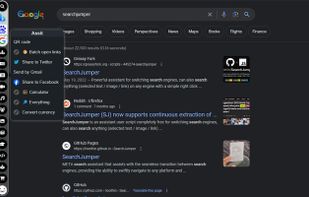
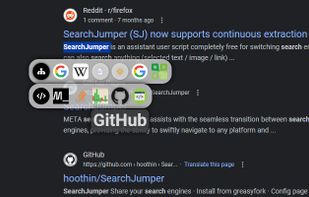
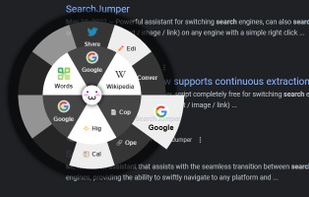
Yet another awesome web extension for switching search engines, can also search anything (selection text / image / link / find in page) on any engine with a simple right click or a variety of menus and shortcuts. Build with React & Material-UI.
Cost / License
- Free
- Open Source (GPL-3.0)
Platforms
- Google Chrome
- Firefox

Features
- Reverse Image Search
Tags
- Google Chrome Extension
- Search Engine
- Highlight
- material-ui
- userscript
- selection-search
- open source
- context-search
- websearch
- productivity
- google-search
SearchJumper News & Activities
Recent activities
- Danilo_Venom added SearchJumper as alternative to SafariKeywordSearch, Fling and LeapSearch
SearchJumper information
Developed by
 hoothin
 Licensing
Open Source (GPL-3.0) and Free product.Written in
Alternatives
11 alternatives listedSupported Languages
- English
- Chinese
- Japanese

AlternativeTo Categories
Online Services, Web BrowsersGitHub repository
- 1,021 Stars
- 66 Forks
- 61 Open Issues
- Updated


What is SearchJumper?
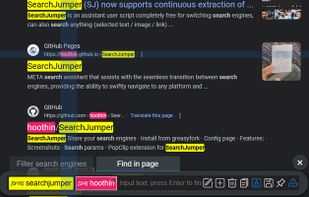
Assistant that assists with the seamless transition between search engines, providing the ability to swiftly navigate to any platform and conduct searches effortlessly. Additionally, it allows for the selection of text, images, or links to be searched on any search engine with a simple right-click, context menu, drag & drop or by utilizing a range of menus and shortcuts. It also boasts a highly powerful multi-keyword highlighting search feature, supporting regex search, fuzzy search, and dynamic search.
Comments and Reviews
A crude, unfinished extension. 1) THERE is NO way to disable unnecessary searches.
50% of the queries are displayed with errors, displayed incorrectly.
When you select text, a window pops up (which is convenient), but the icons in it are displayed incorrectly - a gray circle with a cross, only the Google icon is displayed correctly.
The popup window itself is displayed with a defect, half of the strip is duplicated and goes above the border of the popup window.
Developer's selfishness - an additional vertical panel is displayed on the left. And if a user uses a browser in virtual systems that more often force the gaze to turn to the right, what should they do? What should other ethnic groups do, whose language is written not from left to right, but from right to left? Where is the button for selecting the side of the vertical panel?