



Share Speaker Player
Share Speaker Player is an outstanding yet easy-to-use application to share speaker in LAN with high quality. It is a good way to decrease the cost of speaker in office, family, or other places especially with the world economy declining recently.
Cost / License
- Free
- Proprietary
Alerts
- Discontinued
Platforms
- Windows
The official website is no longer available. Last version, 1.10, released in August 2009, can be still downloaded from Wayback Machine

Features
- Stream audio
Tags
- share-speaker
Share Speaker Player News & Activities
Recent activities
Share Speaker Player information
Developed by
 ExtendOffice Technology Inc.
 Licensing
Proprietary and Free product.Alternatives
8 alternatives listedSupported Languages
- English
AlternativeTo Category
Audio & Music


What is Share Speaker Player?
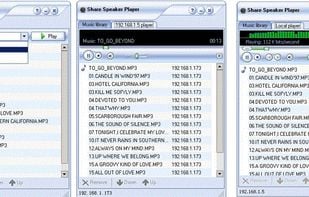
Share Speaker Player is an outstanding yet easy-to-use application to share speaker in LAN with high quality. It is a good way to decrease the cost of speaker in office, family, or other places especially with the world economy declining recently. In addition to decreasing cost, it is more environmental by less electric power expended and less noise made. So it also can resolve the problem that you couldn't hear clearly in office as a result of several speakers running in the meantime. Sharing songs resource and remote control are its highlight. This software makes sharing not only speaker but also songs resource possible with friends, families, colleagues, and so on. You can recommend your favorite songs to them and play these songs for them. On the other hand, you can enjoy beautiful songs played by others. Remote control is provided for this software. Users can send songs to the shared playlist, remove songs, reorder songs, and adjust the volume of sound on your computer, and so on. While this not means you can remotely change the shared playlist at your pleasure. The computer on which you want to change its playlist is entitled to acceptance or rejection any changes from other computers. As a result, others can remotely control playlists and share songs resource in your computer only with your allowance. Support all kinds of audio formats which are supported in Window Media Player. And this software can be hidden in the tray. Automatically running as the Windows starting up may be a good option for your setting up this software. Share Speaker Player runs under Windows 2003, XP and Vista.