


SheetAtlas
Free cross-platform tool to search, compare, and analyze multiple Excel files offline. Template validation, column linking, export with preserved types.

Cost / License
- Free
- Open Source (MIT)
Platforms
- Mac
- Windows
- Linux

Features
Properties
- Privacy focused
Features
- Works Offline
- Dark Mode
- No registration required
- No Tracking
- Ad-free
- Import CSV Data
- Full-Text Search
- Desktop Application
 Import From Excel
- Cross-references
- Cross-Platform
SheetAtlas News & Activities
Recent activities
- ghostintheshell-192 updated SheetAtlas
 ghostintheshell-192 added SheetAtlas as alternative to MaksPilot
- ghostintheshell-192 added SheetAtlas as alternative to MaksPilot
- niksavc liked SheetAtlas
 ghostintheshell-192 added SheetAtlas as alternative to Synkronizer, Excel Compare and Spreadsheet Compare
- ghostintheshell-192 added SheetAtlas
- POX updated SheetAtlas
SheetAtlas information
Developed by
UnknownLicensing
Open Source (MIT) and Free product.Written in
Alternatives
4 alternatives listedSupported Languages
- English

AlternativeTo Category
Office & ProductivityGitHub repository
- 13 Stars
- 0 Forks
- 0 Open Issues
- Updated


What is SheetAtlas?
SheetAtlas is a desktop application for professionals who work with multiple Excel files and need to quickly search for entries across all of them and compare matching rows.
SheetAtlas is a free desktop application that treats multiple Excel files as a unified searchable database - no expensive BI tools needed.
CORE FEATURES
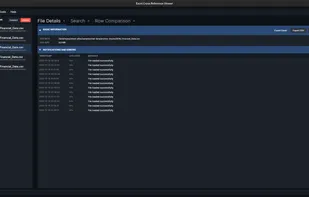
- Search & Filter: load dozens of Excel files (.xlsx, .xls, .csv) and search across all sheets with regex support. Filter columns to focus on relevant data.
- Row Comparison: compare rows between files with intelligent column mapping and visual highlighting of differences.
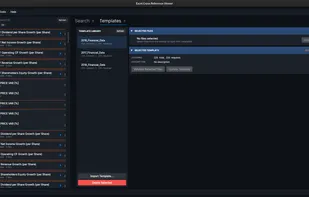
- Template System: create templates from file structure, validate files against templates, and use column linking with semantic names for consistent analysis.
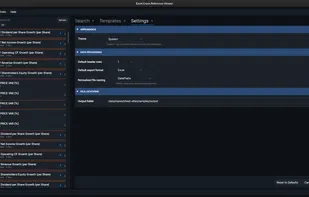
- Settings & Customization: configure theme (light/dark/system), default header rows, export format (Excel/CSV), output folder, and file naming patterns.
- Export: Export normalized files to Excel or CSV with preserved data types (dates, currencies, numbers).
PRIVACY 100% offline - all processing happens locally. Your data never leaves your computer. No cloud uploads necessary.
PLATFORMS Windows, Linux, macOS
TECHNICAL DETAILS: Built with .NET 8 and Avalonia UI following Clean Architecture principles. Open source (MIT License) with focus on maintainability and performance.
IDEAL FOR: • Data analysts working with multiple spreadsheets • Engineers checking part numbers across multiple files • Finance professionals comparing reports • Anyone who needs to cross-reference data without Excel's limitations