



Shotomatic
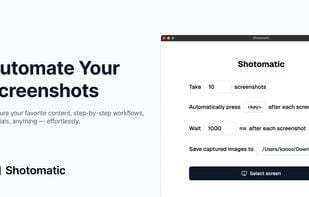
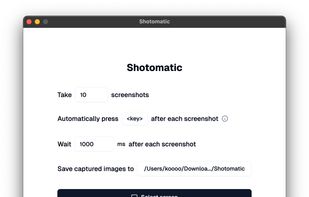
Shotomatic captures, schedules and scripts screenshots on Mac so you can archive your favorite content, create timelapses, record bug reports and tutorials without lifting a finger.

Features
- Works Offline
- Ad-free
- No registration required
- Automated Screenshots
Tags
- screenshot-automation
- timed-screenshots
Shotomatic News & Activities
Recent News
Recent activities
 POX added Shotomatic as alternative to Capty
 POX added Shotomatic as alternative to Pixsnip
- K0RR added Shotomatic as alternative to grim
 POX added Shotomatic as alternative to ShareX, Greenshot, Ksnip and FastStone Capture
- POX added Shotomatic
Shotomatic information
Licensing
Proprietary and Freemium product.Pricing
One time purchase (perpetual license) that costs $25 + free version with limited functionality.Alternatives
20 alternatives listedSupported Languages
- English



What is Shotomatic?
Shotomatic captures, schedules and scripts screenshots on Mac so you can archive your favorite content, create timelapses, record bug reports and tutorials without lifting a finger.
Save time and effort. Archive your favorite content, record tests, timelapses, or tutorials — all with just a few clicks. Shotomatic handles the rest.
Hands-Free Capture
Set an interval once and let Shotomatic grab your screen while you stay focused on real work.
- Timed Screenshot Capture: Pick any interval and let Shotomatic do the work — no need to press anything.
- Keypress Automation: Simulate a keystroke between shots for advanced workflows.
- Entire Screen or Specific Window: Capture the entire screen or a specific window with a click.
Archive Any Content
Capture and archive your favorite e-books, mangas, and more.
- Books: Want to stuff the book content into ChatGPT? No problem. Shotomatic can capture the entire book.
- Webcomics & Manga: Record "next page" button, and let Shotomatic do the rest. Your favorite webcomics, manga is just a click away.
- Any other app: Simple configuration. Works in every app.
Boost Productivity
Eliminate repetitive captures and speed up documentation, QA and design reviews.
- QA & Testing: Document every UI state hands-free for crystal-clear bug reports.
- Tutorial Creation: Generate step-by-step guides without pausing to hit ??3.
- Design Iterations: Track visual progress automatically while you iterate.
Private & Lightweight
Runs 100 % locally on macOS — your screenshots never leave your machine unless you share them.
- Works Offline: No internet? No problem. Everything processes on-device.
- Native Performance: Optimised for MacOS. Delivers best performance.
- Simple UI: No scripting required — configure in seconds and hit "Start Capture".