



Sibelius KeyPad
Like
Sibelius KeyPad turns iPhone or iPad into a virtual keypad for your computer, to boost your creativity and productivity in Sibelius.
Cost / License
- Freemium (Pay once or Subscription)
- Proprietary
Application type
Platforms
- iPhone
- iPad

Features
No features, maybe you want to suggest one?
Tags
- sibelius
- keypads
Sibelius KeyPad News & Activities
Highlights All activities
Recent activities
No activities found.
Sibelius KeyPad information
Developed by
 Evgeny Cherpak
 Licensing
Proprietary and Freemium product.Pricing
One time purchase ranging between $3 and $6, and / or subscription that costs $1 per month + free version with limited functionality.Alternatives
1 alternatives listedSupported Languages
- English
- Catalan; Valencian
- Chinese
- Croatian
- Czech
- Danish
- Dutch
- Finnish
- French
- German
- Greek
- Hindi
- Hungarian
- Indonesian
- Italian
- Japanese
- Korean
- Malay
- Norwegian Bokmål
- Polish
- Portuguese
- Romanian
- Russian
- Slovak
- Spanish
- Swedish
- Thai
- Turkish
- Ukrainian
- Vietnamese

No comments or reviews, maybe you want to be first?
What is Sibelius KeyPad?
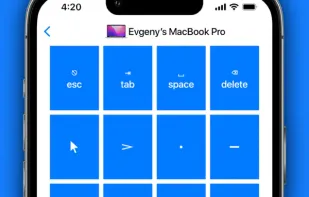
Sibelius KeyPad turns iPhone or iPad into a virtual keypad for your computer, to boost your creativity and productivity in Sibelius. The app works using a Wi-Fi network, so no direct line of sight is needed. Setup is quick and super easy.
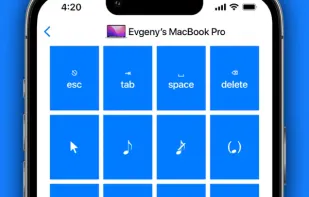
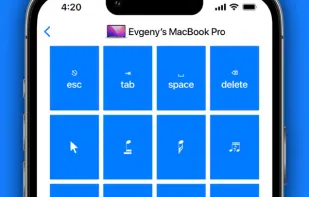
KEYPADS
- Common Notes;
- More Notes;
- Beams/Tremolos;
- Articulations;
- Jazz Articulations;
- Accidentals;
FEATURES
- Automatically switches keypads in Sibelius based on your selection;
- Enjoy the ease of use in a slick user interface you will love;
- Use the Personal Hotspot of your iOS device to control your Mac when you don’t have access to other networks;
- Easy 3 step setup, under 30 seconds
WORKS WITH
- Sibelius for Mac/Windows
REQUIREMENTS
- Mac with macOS 10.10 or newer
- PC with Windows 7 SP1 or newer
- Free helper app, available at https://cherpake.com/get
- Shared network connection: Wi-Fi or Personal Hotspot, see https://cherpake.com/connect
