


Stardock Acoustic Bridge
Redirects and centralizes audio between PCs, enabling sound transfer across network for applications like chat, music, and alerts with easy toggling and up to four shared installations.

Features
- Stream audio
- Remote Audio
- Audio Router
Tags
- share-speaker
- network-audio
Stardock Acoustic Bridge News & Activities
Recent News
Recent activities
- Kezxo updated Stardock Acoustic Bridge
- Danilo_Venom updated Stardock Acoustic Bridge
 POX added Stardock Acoustic Bridge as alternative to SoundShare - Audio Sharing
 Maoholguin added Stardock Acoustic Bridge as alternative to PairPods
 POX added Stardock Acoustic Bridge as alternative to VirtAudio
Stardock Acoustic Bridge information
Developed by
 Stardock Corporation
 Licensing
Proprietary and Commercial product.Pricing
One time purchase (perpetual license) that costs $13.Alternatives
19 alternatives listedSupported Languages
- English


What is Stardock Acoustic Bridge?
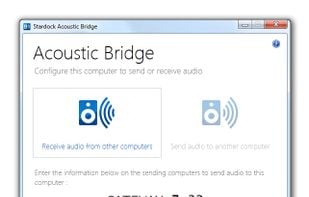
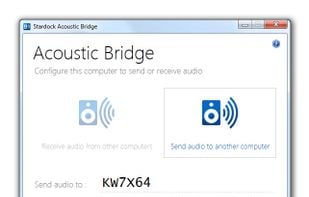
Acoustic Bridge gives you the power to redirect audio from one PC to the speakers of another PC. This enables you to send the sound from a PC with your music collection to any other PC on your network. You could even visit friends and redirect your PC audio output to their PC and speakers. Use the best speakers available wherever you are.
Centralize the sound output from multiple PCs to a single PC. This enables you to transfer the audio output from any application, such as chat, e-mail, stock price alerts, or video/media players, from your desktop to your laptop.
Redirecting your PC audio output is as simple as clicking the Acoustic Bridge icon to toggle sound between your local PC and another PC. Acoustic Bridge will send or receive sound from any PC on the network that has Acoustic Bridge installed.
Install Acoustic Bridge on up to 4 PCs for one price!