


Syncios Mobile Manager
Syncios smartphone manager is a cross-platform supported mobile and tablet manager tool, fully compatible with the two dominant smartphone operating systems – iOS and Android.
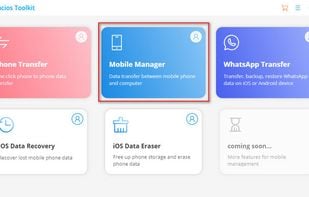
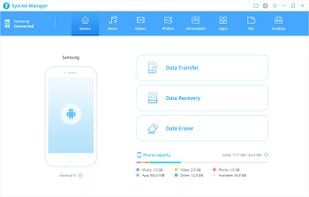
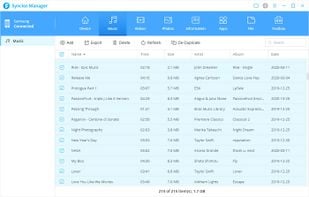
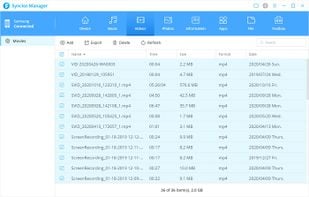

Features
- Video Converter
- iPhone Backup
Tags
- duplicate-files
- android-manager
- photo-conpression
- ipad-transfer
- iphone-transfer
- ipad-backup
- heic-converter-free
- phone-file-manager
Syncios Mobile Manager News & Activities
Recent activities
- sunoisgood reviewed Syncios Mobile Manager
I’ve been using Syncios Mobile Manager (Windows version) for several weeks now, and it has quickly become one of the most reliable tools I use for managing my phone data. The interface is clean and easy to navigate, which made it simple to get started even without reading a manual. I mainly use it to back up photos, messages, and contacts from my iPhone to my PC, and the process has been consistently smooth and stable. Transfer speeds are solid, and I appreciate that I can preview files before...
- timeseizer reviewed Syncios Mobile Manager
Love Syncios Mobile Manager! It really helped me transfer a large amount of video and phones from Xiaomi to my PC.😃😃I looked up many methods but all failed. only this is what i want.
- syncios updated Syncios Mobile Manager
 POX added Syncios Mobile Manager as alternative to FlexiBackup

Featured in Lists

A list with 121 apps by christineconnor without a description.

A list with 15 apps by christineconnor without a description.

A list with 14 apps by atre14 without a description.
What is Syncios Mobile Manager?
Although there are various kinds of phone managers in the market, most of them are not compatible with both Android and iOS devices. Syncios smartphone manager is a cross-platform supported mobile and tablet manager tool, fully compatible with the two dominant smartphone operating systems – iOS and Android.
- Support to selectively backup and restore contacts, message, call log, music, video, photo, apps and etc.
- Manage iOS devices/Android music, edit song details and deduplicate tracks.
- Preview and export SMS, Call History & Contacts to readable format on computer and support to print out if needed.
- Handy tools: One-Click Backup and Restore tool, HEIC Converter and Photo Conpression.
Syncios Mobile Manager information
Developed by
 Syncios
 Licensing
Proprietary and Commercial product.Pricing
One time purchase (perpetual license) ranging between $29 and $39.Alternatives
26 alternatives listedSupported Languages
- English


Comments and Reviews
Downloaded and tested a couple of iTunes alternatives to copy the VoiceMemos from my iPhone. SyniOS was the only one that actually worked - for free.
I’ve been using Syncios Mobile Manager (Windows version) for several weeks now, and it has quickly become one of the most reliable tools I use for managing my phone data. The interface is clean and easy to navigate, which made it simple to get started even without reading a manual. I mainly use it to back up photos, messages, and contacts from my iPhone to my PC, and the process has been consistently smooth and stable. Transfer speeds are solid, and I appreciate that I can preview files before moving them, which saves a lot of time.
What stands out to me is how well Syncios handles different types of data in one place—music, videos, apps, and even WhatsApp data—without feeling cluttered. I’ve tried similar tools before, but many felt limited or unreliable. Syncios Mobile Manager feels polished and dependable, and it has worked exactly as expected in my day-to-day use. Overall, it’s a practical and well-designed solution for anyone who wants better control over their mobile data on Windows.
Love Syncios Mobile Manager! It really helped me transfer a large amount of video and phones from Xiaomi to my PC.😃😃I looked up many methods but all failed. only this is what i want.