


Team Task Manager
TeamTaskManager.com is a system for collaboration. It allows you to set tasks, monitor their progress, discuss requirements and solutions.
Cost / License
- Free
- Proprietary
Application types
Platforms
- Online

Features
- Real time collaboration
- Team work
- Team Collaboration
Team Task Manager News & Activities
Recent activities

Team Task Manager information
Developed by
Aleksandr MorgunovLicensing
Proprietary and Free product.Alternatives
41 alternatives listedSupported Languages
- English



What is Team Task Manager?
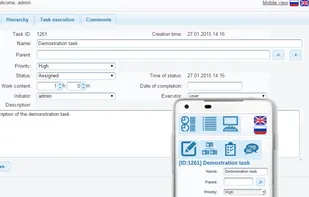
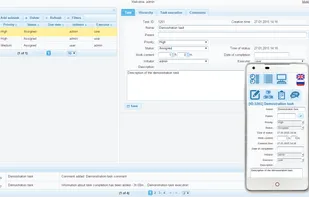
TeamTaskManager.com is a system for collaboration. It allows you to set tasks, monitor their progress, discuss requirements and solutions. You need to organize team-work of several people. TeamTaskManager will help you with this. No matter whether they working at neighboring tables or are located on different continents. Each team member always knows what he needs to do. One of the default filters selects tasks that require attention and sorts them in order of priority. TeamTaskManager helps to assess current workload of team members and, if necessary, to balance it redistributing tasks. If it is necessary to evaluate the implementation of tasks for any period, then it is easy to do with the progress report. You will always be aware of the actions with tasks, related to you. The system informs initiators and executors about creation and change of tasks, entering information on the implementation of tasks and comments to tasks. Each user can create custom filters for search tasks. If you need, you can change default filters for initiator and executor of tasks. If you want to clarify any questions about the task, you can do it in the comments. You can customize the list of statuses and priorities of tasks for the team as you see fit. If email, Skype and separated files are not enough for coordinated work - You can organize the work of the team with TeamTaskManager. If necessary, You can break the task into sub-tasks, combine tasks into projects, etc. the Depth of nesting of sub-tasks isn't limited. Feel free to add as many team members as you need.