



Web SSH
1 like
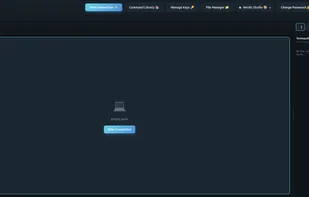
Web SSH Terminal is a self-hosted web application that provides secure SSH access to your servers directly from your browser. Perfect for homelabs, server management, and teams that need browser-based terminal access.
Cost / License
- Free
- Open Source (MIT)
 EU
EUPlatforms
- Self-Hosted
- Docker
+4

Web SSH
1 like
Features
Properties
- Lightweight
- Support for Themes
Features
- Ad-free
- Works Offline
- Drag and Drop
- Split-screen view
- Dual Pane Support
- Support for SFTP
- SSH
- Built-in File Manager
Tags
- concurrent
- Multi-Session
- SSH key Management
- split-view
- ssh-tool
Web SSH News & Activities
Highlights All activities
Recent activities
Web SSH information
Developed by
 H31mdall
 Licensing
Open Source (MIT) and Free product.Written in
Alternatives
0 alternatives listedSupported Languages
- English
- German
- French
- Italian

AlternativeTo Categories
File Management, Network & AdminGitHub repository
- 1 Stars
- 0 Forks
- 0 Open Issues
- Updated
No comments or reviews, maybe you want to be first?
What is Web SSH?
Web SSH Terminal is a self-hosted web application that provides secure SSH access to your servers directly from your browser. Perfect for homelabs, server management, and teams that need browser-based terminal access.
Features:
Terminal
- Multi-Session Support - Up to 10 concurrent SSH sessions with tabs
- Split Panes - 2x2 grid layout for monitoring multiple servers
- Session Persistence - Sessions survive page refreshes
- Copy/Paste - Full clipboard support
- Keyboard Shortcuts - Vim-style navigation supported
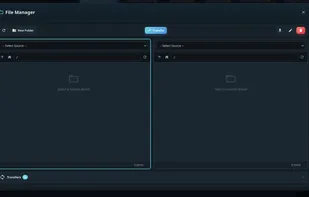
File Manager (SFTP)
- Dual-Pane Browser - Side-by-side file browsing
- Drag & Drop - Transfer files between local and remote
- Server-to-Server - Direct transfer between SSH hosts
- Batch Operations - Multi-select for bulk actions
- Context Menu - Right-click for quick actions
Security
- Encrypted Key Storage - SSH keys encrypted at rest (AES-256)
- Secure Authentication - bcrypt password hashing
- CSRF Protection - Token-based request validation
- Rate Limiting - Brute-force protection
- Security Headers - HSTS, CSP, X-Frame-Options
Customization
- 23 Themes - Dark, light, and colorful options
- 4 Languages - English, German, French, Spanish
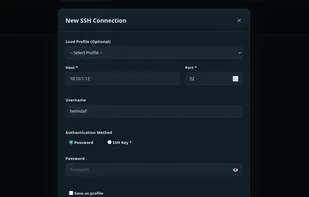
- Connection Profiles - Save server configurations
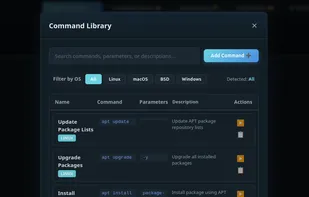
- Command Library - Store frequently used commands