



WebToEpub
1 like
Extension that converts Web Novels (and other web pages) into an EPUB for offline reading. Works with many sites, including:
Cost / License
- Free
- Open Source
Platforms
- Google Chrome
- Mozilla Firefox

Features
Properties
- Privacy focused
- Lightweight
Features
- No Tracking
- No registration required
- Ad-free
- Export to EPUB
Tags
- EPUB Converter
- web-novel
- html-to-epub
- EPUB
WebToEpub News & Activities
Highlights All activities
Recent activities
No activities found.
WebToEpub information
Developed by
dteviotLicensing
Open Source and Free product.Written in
Alternatives
8 alternatives listedSupported Languages
- English

AlternativeTo Category
News & BooksGitHub repository
- 1,123 Stars
- 231 Forks
- 289 Open Issues
- Updated


No comments or reviews, maybe you want to be first?
What is WebToEpub?
Extension that converts Web Novels (and other web pages) into an EPUB for offline reading. Works with many sites, including:
- Baka-Tsuki.org
- ArchiveOfOurOwn.org
- FanFiction.net.
- royalroad.com
- www.readlightnovel.com (partial support)
- Numerous other light novel sites
To use with Baka-Tsuki:
- Browse to a Baka-Tsuki web page that has the full text of a story.
- Click on the WebToEpub icon on top right of the Chrome window.
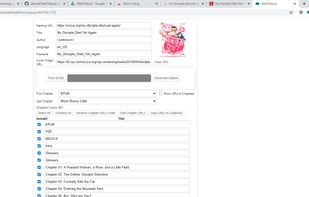
- Check story details are correct.
- Select image to use for cover.
- Click the "Pack EPUB" button.
- Wait for progress bar to finish (indicating the images being downloaded) and the generated EPUB to be placed in your downloads directory.
To use with Archive Of Our Own:
- Browse to first chapter of story you want.
- Click on the WebToEpub icon on top right of the Chrome window.
- Check story details are correct.
- Click the "Pack EPUB" button.
- Wait for progress bar to finish (indicating the additional chapters are being downloaded) and the generated EPUB to be placed in your downloads directory.
To use with Royal Road/Readlightnovel
- Browse to web page that has list of chapters of story you want.
- Click on the WebToEpub icon on top right of the Chrome window.
- Check story details are correct.
- Click the "Pack EPUB" button.
- Wait for progress bar to finish (indicating the additional chapters are being downloaded) and the generated EPUB to be placed in your downloads directory.