



XD-AntiSpy
XD-AntiSpy is a tweaking tool for Windows 11, derived from the xp-AntiSpy tool for Windows XP. It is a small application, less than 350 kilobytes, that can run without installation.

Features
Properties
- Privacy focused
- Lightweight
Features
- No registration required
- Portable
- System Tweaker
XD-AntiSpy News & Activities
Recent News
Recent activities
XD-AntiSpy information
Developed by
BelimLicensing
Open Source (MIT) and Free product.Written in
Alternatives
7 alternatives listedSupported Languages
- English
AlternativeTo Category
OS & UtilitiesGitHub repository
- 1,080 Stars
- 44 Forks
- 17 Open Issues
- Updated


Featured in Lists

You tired of Windows spyware but don't want to switch to a whole new operating system? Here are some open source …
What is XD-AntiSpy?
XD-AntiSpy is a tweaking tool for Windows 11, derived from the  xp-AntiSpy tool for Windows XP. It is a small application, less than 350 kilobytes, that can run without installation. It mirrors the original xp-antispy tool but is tailored for Windows 11.
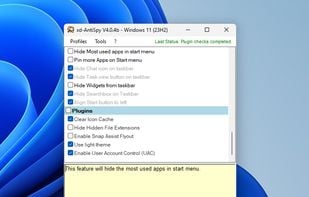
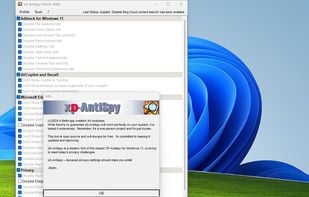
The user interface presents a list of tweaks, categorized into sections like Adblock for Windows 11, AI/Copilot and Recall, and Microsoft Edge. Each activated tweak is marked with a checkmark, helping users identify inactive tweaks. Users can hover over a tweak for a detailed description of its function.
To use XD-AntiSpy, users navigate the list of tweaks and check or uncheck as desired. Afterward, users click 'apply settings' to implement changes on the Windows 11 system. A system restart is required to finalize the process, or users can select Tools > Restart Explorer. Users should create a system restore point or backup before using any system-modifying application.