
Apps with 'HTTPS Tunnel' feature

All apps in Apps with 'HTTPS Tunnel' feature category. Use the filters below to narrow down your search. 
Copy a direct link to this comment to your clipboard
  1. CrushFTP icon
     2 likes

    CrushFTP is a robust file transfer server that makes it easy to setup secure connections with your users.

    Cost / License

    • Paid
    • Proprietary

    Application type

    Platforms

    • Mac
    • Windows
    • Linux
    • BSD
    CrushFTP screenshot 1
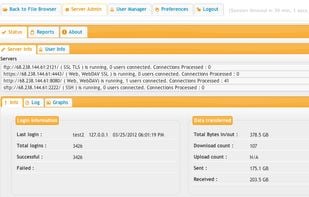
    Snapshot of some of the protocols in use and overview of server activity.
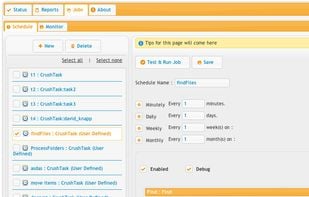
    Scheduled server jobs to scan for files, do actions with them, and monitor what is going on.
    +7
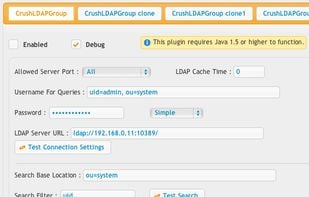
    Example of an LDAP configuration .
    31 alternatives
  2.  3 likes

    Redsocks is a daemon running on the local system, that will transparently tunnel any TCP connection via a remote SOCKS4, SOCKS5 or HTTP proxy server. It uses the system firewall's redirection facility to intercept TCP connections, thus the redirection is system-wide, with...

    Cost / License

    • Free
    • Open Source

    Platforms

    • Linux
    11 alternatives
  3. MxTunnel icon
     2 likes

    The Barracuda MxTunnel is a tunnel and proxy server that allows you to circumvent firewalls/proxies, access resources that may be blocked, and to securely access internal resources on a business/home network.

    Cost / License

    • Free
    • Proprietary

    Platforms

    • Mac
    • Windows
    • Linux
    31 alternatives
  4. Spokes icon
     1 like

    Spokes is an on-premise HTTP/S and TCP secure tunneling server that is used to host websites, applications and most network servers. Connect legacy hardware and software to the cloud, connect IoT and smart devices, substitute cloud and SaaS services.

    Cost / License

    • Paid
    • Proprietary

    Application type

    Platforms

    • Linux
    • Self-Hosted
    24 alternatives
  5. Burrow.io icon
     2 likes

    Expose localhost to the internet. Features custom domains, SSL, HTTP basic auth and firewall for IP / CIDR restrictions. No download required.

    Cost / License

    • Freemium
    • Proprietary

    Application type

    Platforms

    • Mac
    • Windows
    • Linux
    • Android
    • BSD
    Burrow.io screenshot 1
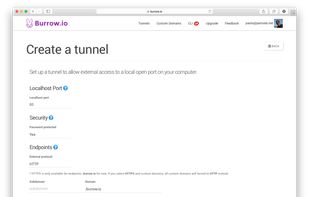
    1. Tell Burrow which port of your localhost you want to forward the traffic to. Choose if you want to protect the tunnel with your login credentials at the security section. Leave the subdomain blank to auto generate, or pick your own.
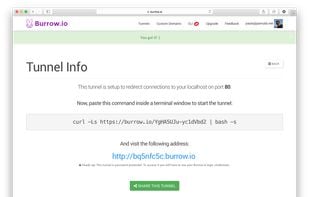
    2. The next screen will confirm the tunnel is set up, and ready to go. Note the URL generated automatically for you. You will use this URL to access your localhost through the tunnel.
    +1
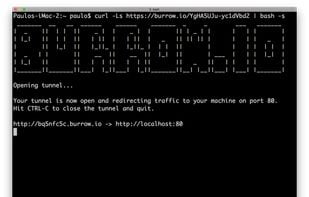
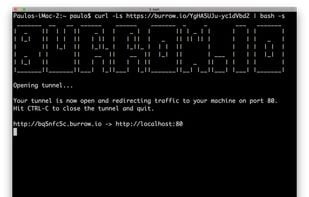
    3. Now open a terminal and paste the command to start the tunnel. Once the tunnel is open you can access it using the URL generated.
    23 alternatives