


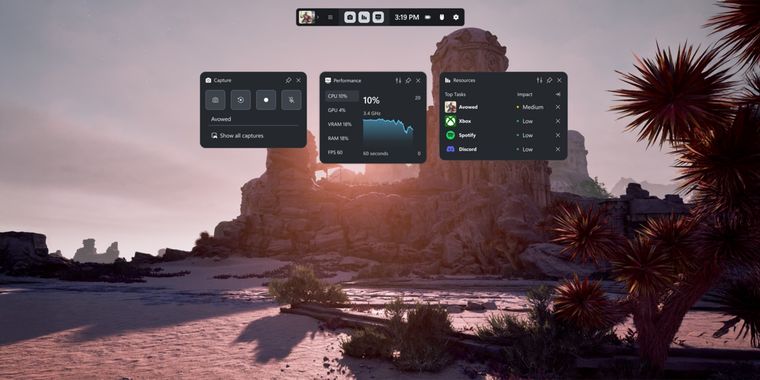

Microsoft revamps its Xbox Game Bar UI with an improved design for handheld devices
Microsoft has updated the Xbox App on Windows, bringing significant changes especially to the Xbox Game Bar, which now features a cleaner, more minimalistic UI with redesigned widgets for Recording, Audio Outputs, and the Performance tab.
This update is the first in a series of visual enhancements planned to be completed by March 2025, and it appears optimized for handheld gaming devices, reinforcing speculation that Microsoft may launch an Xbox-branded handheld PC this year. The interface now features larger and more accessible buttons for better usability on touchscreen devices, resembling Steam’s Big Picture Mode.
Additionally, the Xbox Cloud Gaming feature has been improved to allow game-switching without returning to the main page, currently available for select Assassin's Creed titles, with plans to expand this functionality to more games soon. The Stream Your Own Game feature is also broadening its support for Cloud Gaming options.



- Screen Recorder
- Free Personal
- Proprietary


