


BandiCamera
Like
Free HDR Screenshot and Screen Capture Software.
Cost / License
- Free
- Proprietary
Platforms
- Windows

Features
Properties
- Lightweight
- Privacy focused
Features
- No Tracking
- Ad-free
- Works Offline
- No registration required
- Annotate Screenshot
- Screen Recording
Tags
- screenshots
- full-screen-capture
- window-detection
BandiCamera News & Activities
Highlights All activities
Recent activities
- muhammadfarag added BandiCamera
 muhammadfarag added BandiCamera as alternative to ShareX, Greenshot, Flameshot and Ksnip
BandiCamera information
Developed by
 Bandisoft
 Licensing
Proprietary and Free product.Alternatives
49 alternatives listedSupported Languages
- English



No comments or reviews, maybe you want to be first?
What is BandiCamera?
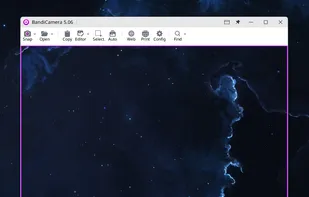
Here’s a concise summary of the main points from the BandiCamera page:
📌 Overview
- BandiCamera is a free HDR screen capture tool designed for Windows 10 and 11 (x64, ARM64).
- It allows users to capture regular screens and HDR displays with vibrant colors and enhanced detail.
- The software is freeware and can be used commercially without cost.
🔑 Capture Modes
- HDR Capture: High-quality screenshots with vivid colors and detail.
- Mouse Cursor Capture: Option to include the cursor for clarity.
- Auto Window Detection: Automatically fits to windows or UI elements.
- Scrolling Webpage Capture: Captures entire webpages beyond the visible screen.
- Timed Capture: Customizable intervals for repeated captures.
- Area Capture: Select and capture any rectangular area.
- Full Screen Capture: One-click capture of the entire screen.
?? Key Features
- Custom Hotkeys for quick access.
- Instant Print of captured areas.
- External Editing: Send captures directly to apps like Paint or Photoshop.
- Arrow Key Fine-Tuning for precise adjustments.
- Clipboard Copy for easy pasting into Word, PowerPoint, etc.
- Smart Format Selection: Saves automatically in PNG or JPG for quality and file size balance.