



Bluefin
Next-gen Linux workstation focusing on sustainable design, reliability, and power, delivers Chromebook-like ease, GNOME desktop, image-based updating, Flathub application access, GPU drivers, near-zero maintenance, container workflows, developer tools, and cloud-native support.
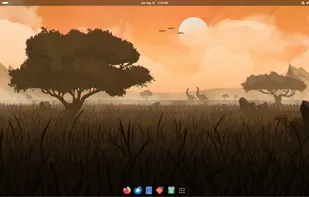
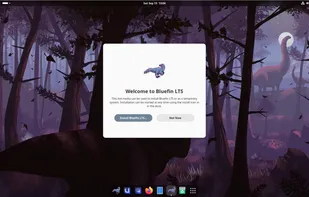
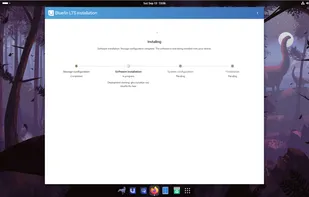

Features
Properties
- Privacy focused
Features
- Flatpak
- Based on Fedora
- Cloud-native integration platform
- Ad-free
- Rolling Release
- No registration required
- Dark Mode
- Works Offline
- No Tracking
- Homebrew
- Support for Nvidia drivers
Tags
- GNOME
- display-driver
- flathub
- developer-focussed
- bluefin
- fedora
- gnome-desktop-environment
- coreos
- bootc
- oci
Bluefin News & Activities
Recent News
- POX published news article about Bluefin
 Bluefin LTS and GDX available with CentOS Stream 10 base & AI tools for this Linux distro
Universal Blue has released Bluefin LTS and Bluefin GDX to general availability following nine mont...
Recent activities
- Mimolet reviewed Bluefin
For me Bluefin is an almost-perfect experience if you want to get into the Linux world - auto updates that don't bother you, simple application installation and homebrew out of the box !
I also installed it for my parents, and except a few printer issues that aren't Bluefin's fault, it's just perfect !
- Mimolet added Rolling Release as a feature to Bluefin
- Mimolet replied to a comment / review on Bluefin
- Extropista added Cloud-native integration platform as a feature to Bluefin
What is Bluefin?
The next generation Linux workstation, designed for reliability, performance, and sustainability.
Bluefin is an operating system for your computer. The best of both worlds: the reliability and ease of use of a Chromebook, with the power of a GNOME desktop.
- Applications by Flathub
- Near-zero maintenance
- Included GPU drivers
Featuring automatic image-based updates and a simple graphical application store, Bluefin is designed to get out of your way. Get what you want without sacrificing system stability. The Linux client has evolved, a clean start for the next generation.
Bluefin comes with an optional “developer mode” that transforms your device into a powerful workstation. It features container-focused workflows to get you started depending on where you're coming from, or bring your own. Wield the industry's leading tools at your fingertips.
- Visual Studio Code with devcontainers
- Container centric terminal
- Devpod for developer environments as code
- Homebrew on-tap
The inclusion of a container runtime unlocks your team's potential. Use the same tools that power modern internet infrastructure on your desktop. Bluefin knows how to ship to production.
We target Linux operators who don't use Linux on the desktop because it has failed them. So we're taking the Linux desktop through its cloud-native journey and building it as a community.
Bluefin Videos
Bluefin information
Developed by
Universal BlueLicensing
Open Source (Apache-2.0) and Free product.Rating
Average rating of 4.2Alternatives
11 alternatives listedSupported Languages
- English
AlternativeTo Categories
OS & Utilities, System & HardwareGitHub repository
- 2,259 Stars
- 248 Forks
- 75 Open Issues
- Updated



Comments and Reviews
Too restrictive, rpm-ostree is missing many packages from dnf, and minor version conflicts fully prevent packages from installing. Distrobox is not a complete substitute.
not only is rpm-ostree not recommended, but thinking like this is also missing the point of Bluefin entirely - the main way of getting software is through Flatpaks (for gui apps) or Homebrew (for cli software)
For me Bluefin is an almost-perfect experience if you want to get into the Linux world - auto updates that don't bother you, simple application installation and homebrew out of the box !
I also installed it for my parents, and except a few printer issues that aren't Bluefin's fault, it's just perfect !
It's well-built for developers and that means it comes pre-configured to meet any developer's requirement. But if that's not enough, You can always install any application you want from Flatpak. And, If that's also not enough, You can try distrobox in order to access many Linux environments.