
Draw on my screen Alternatives

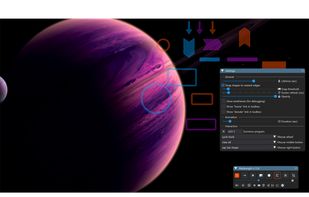
Draw on my screen is described as 'Draw anywhere, any time on your screen!' and is a screen magnifier in the office & productivity category. There are more than 10 alternatives to Draw on my screen for a variety of platforms, including Windows, Mac, Linux, PortableApps.com and BSD apps. The best Draw on my screen alternative is Epic Pen, which is free. Other great apps like Draw on my screen are ZoomIt, Magnifixer, Screen Marker and Recorder and ScreenBrush.

Copy a direct link to this comment to your clipboard
Draw on my screen alternatives page was last updated

Alternatives list

  1. OneLoupe icon
     6 likes

    OneLoupe is a customizable screen magnification tool. It runs in the system tray and can be activated by clicking on the icon or setting a HotKey.

    Cost / License

    • Free
    • Proprietary

    Application type

    Platforms

    • Windows
     
  2. iZoom icon
     1 like

    iZoom Screen Magnifier & Reader represents a leap in screen magnification technology. iZooms patent-pending ClearPoint font smoothing maintains crystal clear text quality regardless of zoom level. iZoom makes viewing web pages and emails easier than ever with SmartAlign, our...

    Cost / License

    • Paid
    • Proprietary

    Application type

    Platforms

    • Windows
     
  3. Desktop Lens icon
     1 like

    You need zoom? We got some! Desktop Lens is a simple application to work with small fonts and hi-res images.

    Cost / License

    • Free
    • Proprietary

    Application type

    Platforms

    • Mac
     
  4. Zoomtext icon
     2 likes

    Screen magnification tool designed for low vision users, providing adjustable magnification, clear text rendering with xFont technology, color and pointer customization, multiple monitor support, speech output, cursor enhancements, and application compatibility.

    15 Zoomtext alternatives

    Cost / License

    • Paid
    • Proprietary

    Application type

    Platforms

    • Windows
     
  5. It is a an application which helps the user to annotate anywhere on the mac's screen. It can be used while presentation, video tutorials, screen recordings to draw the audience attention.

    Cost / License

    • Free
    • Proprietary

    Platforms

    • Mac
     
  6. ScreenNote icon
     1 like

    This is a very lightweight application to make temporal annotations directly on your screen.

    Cost / License

    • Paid
    • Proprietary

    Platforms

    • Mac
     
  7. Draw Over It gives presenters, trainers, and any professional an always-ready overlay for live markups. Open it with a hotkey, sketch directly on top of any app, and jump back to work without leaving a trace.

    Cost / License

    • Paid
    • Proprietary

    Platforms

    • Mac
     
  8. The Enhanced Zoom Desktop plugin allows the whole screen to be zoomed in for improved legibility. It is possible to continue working with other applications while zoomed in.

    Cost / License

    • Free
    • Open Source

    Platforms

    • Linux
     
  9. DemoPro icon
     2 likes

    DemoPro is a simple and unobtrusive screen annotation tool for the Mac ideal for live demonstrations. Just press a customizable hotkey to draw on the screen. Release it to continue your demonstration. DemoPro also includes a countdown timer.

    10 DemoPro alternatives

    Cost / License

    • Paid
    • Proprietary

    Platforms

    • Mac
     
You are at page 2 of Draw on my screen alternatives