



ForceDelete
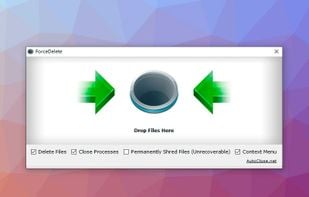
ForceDelete is a handy and free Windows utility that unlocks and deletes files or folders which are used by other processes and cannot be deleted. GUI mode and command line batch mode are both available. You can also use it via context menu.
Cost / License
- Freemium (Pay once)
- Proprietary
Platforms
- Windows

Features
- Portable
Tags
- file-delete
- force-delete-file
- delete-folders
- remove-file
- unlock-locked-file
ForceDelete News & Activities
Recent activities
ForceDelete information
Developed by
 AutoClose
 Licensing
Proprietary and Freemium product.Pricing
One time purchase (perpetual license) that costs $20 + free version with limited functionality.Alternatives
9 alternatives listedSupported Languages
- English


What is ForceDelete?
ForceDelete is a handy and free Windows utility that unlocks and deletes files or folders which are used by other processes and cannot be deleted. GUI mode and command line batch mode are both available. You can also use it via context menu shortcuts. It can also shred files to permanently delete files and folders if you want. Besides, ForceDelete has an option allows users to delete locked files and folders without terminating the processes.
Command line mode usage:
forcedelete.exe [file1] [file2] ...
Features
Force Delete Files & Folders Unlock Files are in Use by Another Process Delete Files without Terminating Other Applications Delete Files via Context Menu File Shred Option Command Line Mode Portable Version File Size is 800 KB Only 100% Free and Clean
Comments and Reviews
Unlike unlocker, ForceDelete successfully removed Unity log files.