



How to Convert
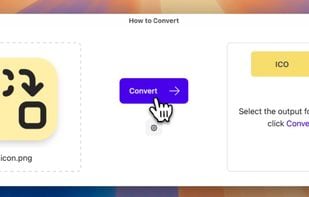
Process files locally without uploads, ensuring privacy and security. Offers unlimited conversions for various formats on any platform. Works offline, supports a broad range of file types, lets users request new formats, avoids subscriptions, and collects no data.

Features
Properties
- Privacy focused
- Lightweight
Features
- No Tracking
- Lossless Audio
- Works Offline
- Ad-free
- Support for 4K
- Audio Conversion
- Video Converter
- Crop images
- Video file conversion
- File Compression
- File conversion
- Crop video
- WEBP Support
- WebP Convert
- Raw converter
- Image Conversion
Tags
- document-converter
- video-to-audio-conversion
- mp4-converter
- crop-image
- mp4-to-mp3-converter
- heic-to-jpg
- heic
- raw-to-jpeg
- file-converter
- Resize Images
- heic-converter
How to Convert News & Activities
Recent activities
 Maoholguin added How to Convert as alternative to ImageMagick, XnConvert, RIOT - Radical Image Optimization Tool and Any Video Converter
- jakemanger updated How to Convert
- jakemanger added How to Convert
- POX updated How to Convert

How to Convert information
Developed by
Jake MangerLicensing
Proprietary and Commercial product.Pricing
One time purchase (perpetual license) that costs $15.Alternatives
34 alternatives listedSupported Languages
- English
AlternativeTo Categories
Photos & Graphics, Video & Movies, Audio & Music, File Management, Office & Productivity, OS & Utilities


What is How to Convert?
Hey, I made https://howtoconvert.co
Here's the problem I had and the solution I thought of:
🤔 Problem When you search "How to convert PNG to ICO" on Google, you get a bunch of shady looking "free" results that send your data to unknown servers. The same is true for almost any conversion you are trying to do.
So what do I want? I want something I can trust completely. AKA locally running, doesn't send my files or data anywhere and built by an independent developer building in public.
💡 Solution How to Convert
- Privacy-first: Files stay on your device and it works offline.
- Wide compatibility: Works with nearly any file type in an all-in-one app. If your file type is not yet supported, submit an issue to get it added!
- Unlimited use: One purchase, infinite access.
- Runs anywhere: Runs on Mac, Windows, Linux or the Web.