


MadEdit-Mod
Cross platform text/hex editor based on MadEdit with a lot of fixes and new features added, such as Drag-Drop Edit(cross platform), Highlight word, etc.
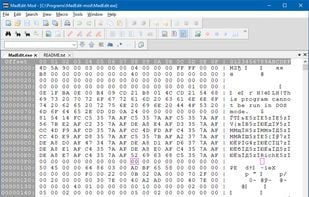

Features
- Syntax Highlighting
- Support for Unicode
- Multiple languages
- Tabbed interface
- Hex Editor
Tags
- notepad
- binary-editor
MadEdit-Mod News & Activities
Recent activities
MadEdit-Mod information
Developed by
UnknownLicensing
Open Source and Free product.Alternatives
31 alternatives listedSupported Languages
- English


What is MadEdit-Mod?
Madedit-Mod is a cross platform text/hex editor based on  MadEdit .
Current Feature list:
Original features from MadEdit(Hex Edit, Column Edit, many encodings support, etc) with lots of bug fixes More encodings supported, eg, GB18030, CP874, CP866, KOI8-R and KOI8-U Macintosh encodings(Roman, Japanese, Chinese-trad, Korean, Arabic, Hebrew, Greek, Cyrillic, Thai, Chinese-simp, Central-Eur, Croatian, Icelandic, Romanian) if your system supports Drag&Drop Edit(Cross platform) Bookmark(From Gogo) Bookmark enhancement:Edit functions(Copy/Cut/Delete/Replace bookmarked lines), Bookmark in search Print bookmark sign with content Highlight word(shift+F8 & Left double click) Triple click to select whole line Line function enhancement(Cut/Delete/Join/Delete empty) Trim leading/trailing spaces/tabs Click on line number area to select one line or all(click with Control pressed) Search all in current file Search/Replace all in all opened documents Open files and go to #line by command line Embedded Python as Macro language for automation(Run/Rec/Playback, local script list) Numbering(Insert incremental numbers with prefix and postfix string) Delete all by using ReplaceAll with NULL Replace in all mode(Normal/Column/Hex) by paste according to insert mode Auto fill column data according to rows selected while pasting in column mode, don't need to prepare lines any more Column Align(to left/right) Right click on file tab(Close all to the right/left/but this file) Fully functional Hex edit(support inserting) Spell Check/Suggestions, ignore list and personal dictionary Revert Hex String to hex(Eg, from '4D6F64', '4D 6F 64', '%4D%6F%64', or '4D,6F,64' to 'Mod') Double click at a brace to select all between the brace pair(Delimiter selection) Up/Down to the line above/under the selection if selecting Click on bookmark area to toggle bookmark Context menu for Main Frame/Tool bars(Show/Hide one or all tool bars) ...