



Markpad - Markdown Editor
1 like
A simple, lightweight Markdown viewer and text editor for Windows, macOS, and Linux.
Cost / License
- Free
- Open Source (BSD-3-Clause)
Platforms
- Mac
- Windows
- Linux

Features
Properties
- Lightweight
- Distraction-free
Features
- Dark Mode
- Live Preview
- Support for MarkDown
- Portable
- Ad-free
- No Tracking
 Support for LaTeX
- Works Offline
- Syntax Highlighting
- No Coding Required
- No registration required
- Code Formatting
- Markdown preview
- Rich Text Editor
- Cross-Platform
Tags
- windows
- MacOs
- notepad-replacement
- notepad
- Linux
- Markdown Editor
Markpad - Markdown Editor News & Activities
Highlights All activities
Recent activities
- alecdotdev added Markpad - Markdown Editor
- POX updated Markpad - Markdown Editor
- alecdotdev added Distraction-free as a feature to Markpad - Markdown Editor
- alecdotdev liked Markpad - Markdown Editor
 alecdotdev added Markpad - Markdown Editor as alternative to Windows Notepad, Notepad++, Kate and gedit
Markpad - Markdown Editor information
Developed by
 alecdotdev
 Licensing
Open Source (BSD-3-Clause) and Free product.Written in
Alternatives
10 alternatives listedSupported Languages
- English

AlternativeTo Categories
Office & Productivity, DevelopmentGitHub repository
- 30 Stars
- 8 Forks
- 2 Open Issues
- Updated



No comments or reviews, maybe you want to be first?
What is Markpad - Markdown Editor?
A simple, lightweight Markdown viewer and text editor for Windows, macOS, and Linux.
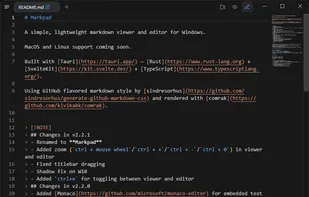
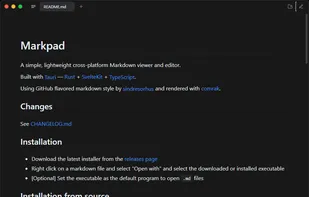
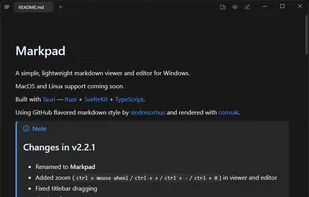
Designed to be a quick and lightweight way to preview a Markdown file. Built-in text editor powerful enough to replace Notepad for day to day use.
Features:
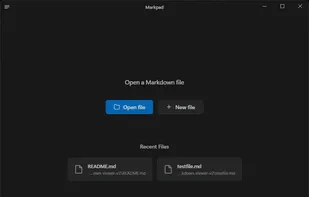
- Tabbed interface
- Monaco editor (VS Code)
- Syntax highlighting both in editor and code blocks
- Image and YouTube embeds
- Familiar GitHub styled markdown rendering
- Tiny memory usage (~10MB)
- No telemetry or bloat
- Free and open-source
- Lightweight native UI