


PanePaper
set an app's window (or any mp4 video) as the wallpaper of nearly all the windows 10 ui surfaces, including lockscreen.
Cost / License
- Free Personal
- Proprietary
Platforms
- Windows

Features
Properties
- Support for Themes
Features
- Portable
- No registration required
- Works Offline
- No Tracking
- Ad-free
- Live Wallpapers
- Autohotkey
Tags
- start-menu-customization
PanePaper News & Activities
Recent activities
- Joithbes updated PanePaper
 POX added PanePaper as alternative to Backdrop Live Wallpaper
 POX added PanePaper as alternative to LiveWallpaper
- niksavc liked PanePaper
 Joithbes added PanePaper as alternative to Lively Wallpaper and Wallpaper Engine
- Joithbes liked PanePaper
- Joithbes added PanePaper


PanePaper information
Developed by
 Joseph T - "Joithbes"
 Licensing
Proprietary and Free Personal product.Alternatives
7 alternatives listedSupported Languages
- English


What is PanePaper?
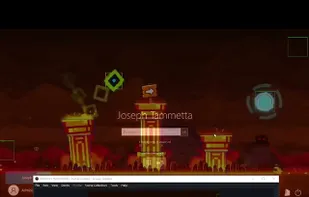
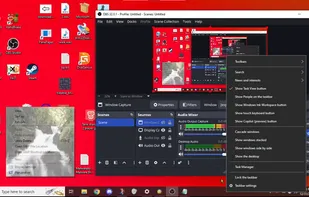
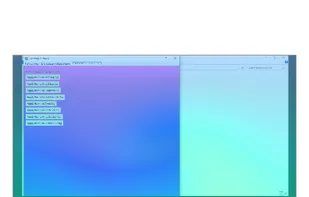
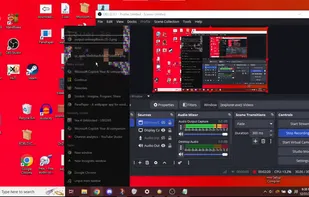
PanePaper is a wallpaper app that sets fully interactive windows 10 applications as most of the windows 10 ui backgrounds (but not the search menu or start menu.) including: The taskbar wallpaper, desktop background, tray wallpaper (action center, clock, battery, volume, win+k menu, project menu, pen and ink popup and network experiecnce host all share the 'tray' wallpaper.), the lockscreen the volume and brightness flyout (what appears when you press the volume or brightness keys.), the right click menus and alt space menu both share a wallpaper, the taskbar jumplists have live wallpaper support, and... notifications themselves can have live wallpapers. Some apps might not work for certain wallpapers, particularly ones that force their size like geometry dash, but those apps often still work on some of the wallpapers. PanePaper now lets you export your apps as themes and import themes. It is a new app and may still have some issues but it still functions.
The lockscreen bg needs admin. since anything running on there runs without sign in. also because windows does not let a non admin do it. if panepaper does not let you sign in when lockscreen bg is active press ctrl alt delete to close panepaper and then you can sign in.