Picular Alternatives

Picular is described as 'Google, but for colors' and is a Color Picker tool in the photos & graphics category. There are more than 25 alternatives to Picular, not only websites but also apps for a variety of platforms, including iPhone, iPad, Mac and Windows apps. The best Picular alternative is Coolors, which is free. Other great sites and apps similar to Picular are Adobe Color CC, Coloraccy, Randoma11y and Hexee Pro.

Copy a direct link to this comment to your clipboard
Picular alternatives page was last updated

Alternatives list

  1. Palette Picker is a fully interactive tool designed to help you create consistent colour systems for web design, brand work or personal projects.

    Cost / License

    • Paid
    • Proprietary

    Platforms

    • Windows
     
  2. ColPat icon
     Like

    Looking for the perfect color palette? Look no further than ColPat! Our advanced AI and user-friendly interface make it easy to create the ultimate color scheme for your designs. With plenty of customization options, you'll have all the tools you need to unleash your...

    Cost / License

    Platforms

    • Online
     
  3. Hexpalette icon
     1 like

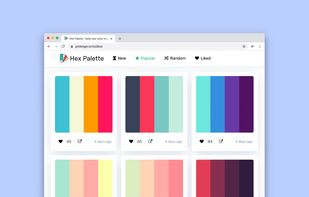
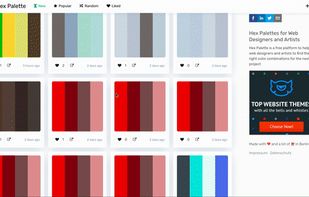
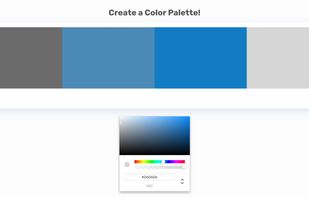
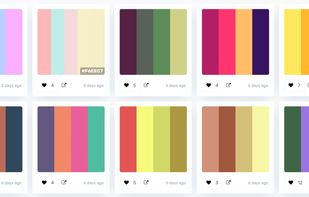
    Hex Palette is your place for color ideas. Built with designers in mind, this tool gives you new color palettes, so you can add different combinations to your projects. On top of it, you can also create your own palettes and play around with it.

    Cost / License

    • Free
    • Proprietary

    Platforms

    • Online
    • Self-Hosted
     
  4. ColRD icon
     Like

    ColRD is a design platform for sharing and discovering colors, palettes, gradients and patterns.

    Cost / License

    • Free
    • Proprietary

    Platforms

    • Online
     
  5. Pigmnts icon
     Like

    Pigmnts is a browser extension that makes it easy to create a beautiful color palette from any image on the web. Pigmnts allows you to point and click on any image on the webpage to create a color palette from it.

    Cost / License

    • Freemium
    • Proprietary

    Platforms

    • Online
    • Google Chrome
    • Software as a Service (SaaS)
    • Firefox
     
  6. Kolors icon
     Like

    Color palette generator for design systems.

    Cost / License

    • Free
    • Proprietary

    Application type

    Platforms

    • Online
     
  7. Developer Colour Palette helps you to choose, convert, organise and share the colours that you use for the projects that you are working on.

    Cost / License

    • Paid
    • Proprietary

    Platforms

    • Mac
    • iPhone
    • iPad
     
  8. A curated color intelligence platform dedicated to the study and exploration of color as used by the world's greatest painters. We extract, analyze, and present the dominant color palettes from thousands of artworks spanning the Renaissance through the Modern era.

    Cost / License

    • Free
    • Proprietary

    Platforms

    • Online
     
  9. uchu icon
     Like

    uchu is the color palette for internet lovers, by NetOperator Wibby. uchu utilizes the OKLCH color space for reasons. I've been using this color palette for personal projects for about a year and have been quite pleased with it.

    Cost / License

    Platforms

    • Online
     
  10. This tool helps you quickly generate beautiful color palettes for any creative project, from digital graphics to branding, art, or social media designs, based on the chosen Industry.

    Cost / License

    • Free
    • Proprietary

    Platforms

    • Online
     
  11. This app helps you find your best colors considering your natural features like your hair color, skin tone and eye color.

    Cost / License

    • Freemium
    • Proprietary

    Platforms

    • Android
     
  12. Clariss icon
     Like

    Clariss is a free online tool for generating color pallets. It creates color palettes in the four color schemes; Monochromatic, Complimentary, Analogous, and Triadical. The color codes are in Hex and Pantone(pms).

    Cost / License

    • Free
    • Proprietary

    Platforms

    • Online
     
You are at page 3 of Picular alternatives