


pTerm
1 like
pTerm provides an SSH, Telnet, and raw TCP client for your iPhone or iPod Touch! It is based on the popular desktop client PuTTY .
+2

Features
- SSH
- Integrated Web Browser
pTerm News & Activities
Highlights All activities
Recent activities
No activities found.

pTerm information
Developed by
Instant CocoaLicensing
Proprietary and Commercial product.Pricing
One time purchase (perpetual license) that costs $5.Alternatives
18 alternatives listedSupported Languages
- English



No comments or reviews, maybe you want to be first?
What is pTerm?
pTerm provides an SSH, Telnet, and raw TCP client for your iPhone or iPod Touch! It is based on the popular desktop client  PuTTY .
Features include:
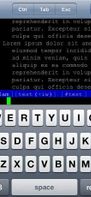
- xterm terminal emulation
- Customizable terminal size (80x24 default)
- SSH, Telnet, or "raw" TCP connections
- Ctrl, Esc, Tab, PgUp, PgDn, and arrow key support
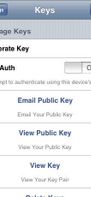
- RSA/DSA Key generation and authentication
- Integrated browser - no more popping out to Safari to check something. Browser keeps state, so you can pop back and forth between the terminal and browser.
- Tunneling support - useful from the browser
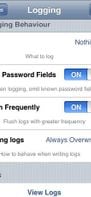
- Logging options; view logs, email logs
- SOCKS4, SOCKS5, HTTP, and Telnet proxy support
- Landscape and Portrait modes
- Works over Edge, 3G, or WiFi
- Stores your list of host/port/protocol for convenient access
- Terminal supports pinch and zoom
- Based on PuTTY, a stable and feature-rich code base
NOTE TO iPad USERS: Bluetooth keyboards are supported, but the full key set is not available via the Apple-provided SDK (yet). Ctrl, Alt, Esc, etc. are not available via the Bluetooth keyboard but are still available on-screen. Full keyboard support will come as soon as Apple makes it available.
