


QtScrcpy
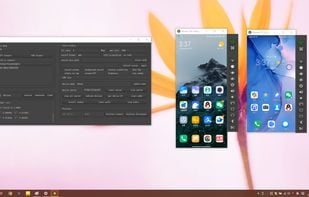
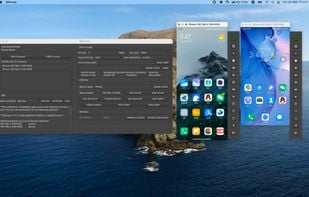
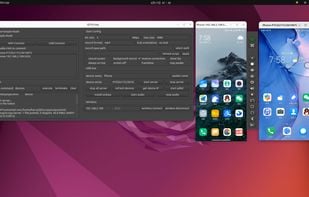
QtScrcpy connects to Android devices via USB (or via TCP/IP) for display and control. It does NOT require the root privileges.

Features
Properties
- Lightweight
Features
- Command line interface
- Ad-free
- No registration required
- Works Offline
- Screen Mirroring
- Screen Recording
- Wireless-networking
- Asynchronous
- MultiTouch
- QT Based
- OPENGL
- No Root Required
- Fullscreen support
- Low Latency
Tags
- ffmpeg
- tcp-ip
- Screen Recording with Audio
- qmake
- cmake
- async
- adb
QtScrcpy News & Activities
Recent News
Recent activities
- Creative_joe liked QtScrcpy
- bnchndlr liked QtScrcpy
 POX added QtScrcpy as alternative to LinkMyDroid
- LordMax liked QtScrcpy
 POX added QtScrcpy as alternative to AndroLaunch
 POX added QtScrcpy as alternative to Screen Mirror and Control


QtScrcpy information
Developed by
 Barry
Barry Licensing
Open Source (Apache-2.0) and Free product.Written in
Alternatives
26 alternatives listedSupported Languages
- English

AlternativeTo Categories
OS & Utilities, Video & Movies, System & HardwareGitHub repository
- 27,819 Stars
- 3,411 Forks
- 601 Open Issues
- Updated


What is QtScrcpy?
QtScrcpy connects to Android devices via USB (or via TCP/IP) for display and control. It does NOT require the root privileges.
It supports three major platforms: GNU/Linux, Windows and MacOS.
It focuses on: lightness (native, displays only the device screen) performance (30~60fps) quality (1920×1080 or above) low latency (35~70ms) low startup time (~1 second to display the first image) non-intrusiveness (nothing is left installed on the device)
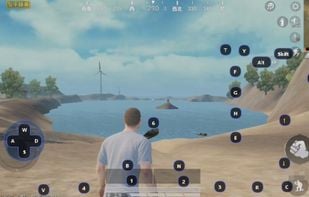
The key difference between QtScrcpy and the original scrcpy is as follows... ui: qt video encode: ffmpeg (same as scrcpy) video render: opengl cross-platform: provided by Qt language: C++ style: async keymap: support custom keymap build: qmake or CMake It's very easy to customize your GUI with Qt Asynchronous programming of Qt-based signal slot mechanism improves performance Easy to learn Add support for multi-touch
Requirements: Android API >= 21 (Android 5.0). Make sure you have enabled ADB debugging on your device(s).
The main function: Display Android device screens in real-time Real-time mouse and keyboard control of Android devices Screen recording Screenshot to png Wireless connection Supports multiple device connections Full-screen display Display on the top Install apk: drag and drop apk to the video window to install Transfer files: Drag files to the video window to send files to Android devices Background recording: record only, no display interface Copy-paste
- It is possible to synchronize clipboards between the computer and the device, in both directions (see README.md) Group control Sync device speaker sound to the computer (based on sndcpy, Android 10+ only)
Comments and Reviews
Is a great alternative to scrcpy. Plus it has many options for both usb and wireless connection and video quality