



Sidebar Diagnostics
82 likes
SidebarDiagnostics - A simple sidebar for Windows desktop that displays hardware diagnostic information.

Features
Properties
- Configurable
Features
- Real-time monitoring
- Hardware Monitoring
- Temperature Monitoring
- Portable
- Performance Monitoring
- Dark Mode
- No registration required
- Ad-free
- Color Temperature
- Fan Speed
Tags
- sensor-monitoring
- fans
- hardware-temperature
- GPU Temperature
Sidebar Diagnostics News & Activities
Highlights All activities
Recent News
No news, maybe you know any news worth sharing?
Share a News TipRecent activities
 tagpulse_ai added Sidebar Diagnostics as alternative to TagPulse
 Stone_Red added Sidebar Diagnostics as alternative to DesktopMagic
 OrdinaryPerson added Sidebar Diagnostics as alternative to Athena (by SebaUbuntu) and G-CPU
 OrdinaryPerson added Sidebar Diagnostics as alternative to Inware
- [J] liked Sidebar Diagnostics
- [J] rated Sidebar Diagnostics
Variety of settings, customization, works great on multimonitor setup, option to run on startup! Recommended
 POX added Sidebar Diagnostics as alternative to Wattage
- thejfex liked Sidebar Diagnostics
- Lehuga added Sidebar Diagnostics as alternative to Resource Monitor V2
 POX added Sidebar Diagnostics as alternative to Yet Another Framework Interface
Featured in Lists

A list with 7 apps by vimevim without a description.
List by vimevim with 7 apps, updated

Open source and free applications for my computers
List by Edgars with 20 apps, updated

Every app for new Windows or linux installation that will very usable
List by Lehuga ntaps with 16 apps, updated
What is Sidebar Diagnostics?
SidebarDiagnostics - A simple sidebar for Windows desktop that displays hardware diagnostic information.
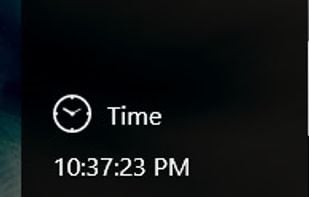
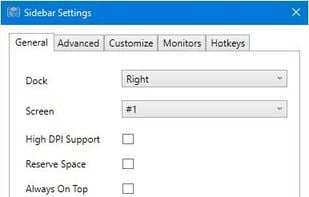
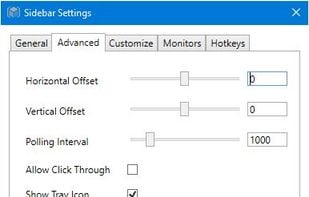
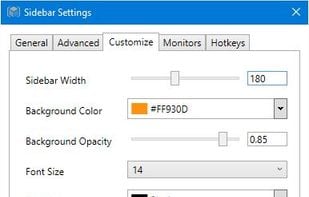
Features: Monitors CPU, RAM, GPU, network, and logical drives. Allows for lots of customization. Allows alerts for various values. Allows binding hotkeys. Supports monitors of all DPI types. Has a clock at the top.
Sidebar Diagnostics information
Developed by
 Ryan Knittel
 Licensing
Open Source and Free product.Rating
Average rating of 4.4Alternatives
57 alternatives listedSupported Languages
- English


Comments and Reviews
Does exactly as the name states all your pc info right in a sidebar. The sidebar has the option to run on startup & you can customize the colors of it. Only downside for windows users it requires Win10 but you can use Vxkex to workaround that.
Variety of settings, customization, works great on multimonitor setup, option to run on startup! Recommended
The only app of its kind which, as an option, can always be visible as a side bar.
Pro: Nice way to display the essentials without interfering with other apps, can be minimized to systray Con: Requires admin privileges to run, systray icon displays no data, uninstall doesn't ask for UAC and fails to remove scheduled task for autostart if run from normal user account.
it works great, it's customizable and tells me everything I need to now about my PC's performance directly on my screen. And it's also free! Wholly recommend!
Really Nice, lots of settings so you can use it how you want to, and that win10perfect look ! mmmouah !
Finally I've been looking for a tool like SidebarDiagnostics for the longest time, and finally have I found it. Best thing yet; It works, looks great, does exactly what I wanted it to do.
I'm satisfied.